Claude Code hooks: what they are, and how to use them to gate an unattended pipeline
12 min read
On this page
A hook is a shell command Claude Code runs automatically at a fixed point in its lifecycle - before a tool executes, after it finishes, when a session starts, when Claude thinks it's done - so a rule you write once runs every time, without depending on the model choosing to follow it. That's the whole idea: hooks trade "the agent usually does the right thing" for "this command always runs," which is the difference that matters the moment an agent is shipping unattended.
TL;DR - A hook is a
command,http,mcp_tool,prompt, oragenthandler registered against one of 31 lifecycle events in a settings file. Most block by exiting 2 (stderr becomes Claude's feedback) or by printing JSON with apermissionDecisionofallow/deny/askto stdout on exit 0.PreToolUseis the one to reach for first - it fires before a tool runs and can deny it outright. Test any hook by piping sample JSON straight into the script before you ever wire it into a real session.
What a hook actually is
Claude Code fires a named event at each point in its lifecycle - a tool about to run, a session starting, Claude finishing a turn - and a hook is just a command registered against one of those events in a settings file. The command receives the event's data as JSON on stdin and answers back through stdout, stderr, and its exit code. Nothing about that requires Claude to decide anything: the hook runs whether or not the model would have thought to run it, which is the entire point once an agent is making tool calls without someone watching each one.
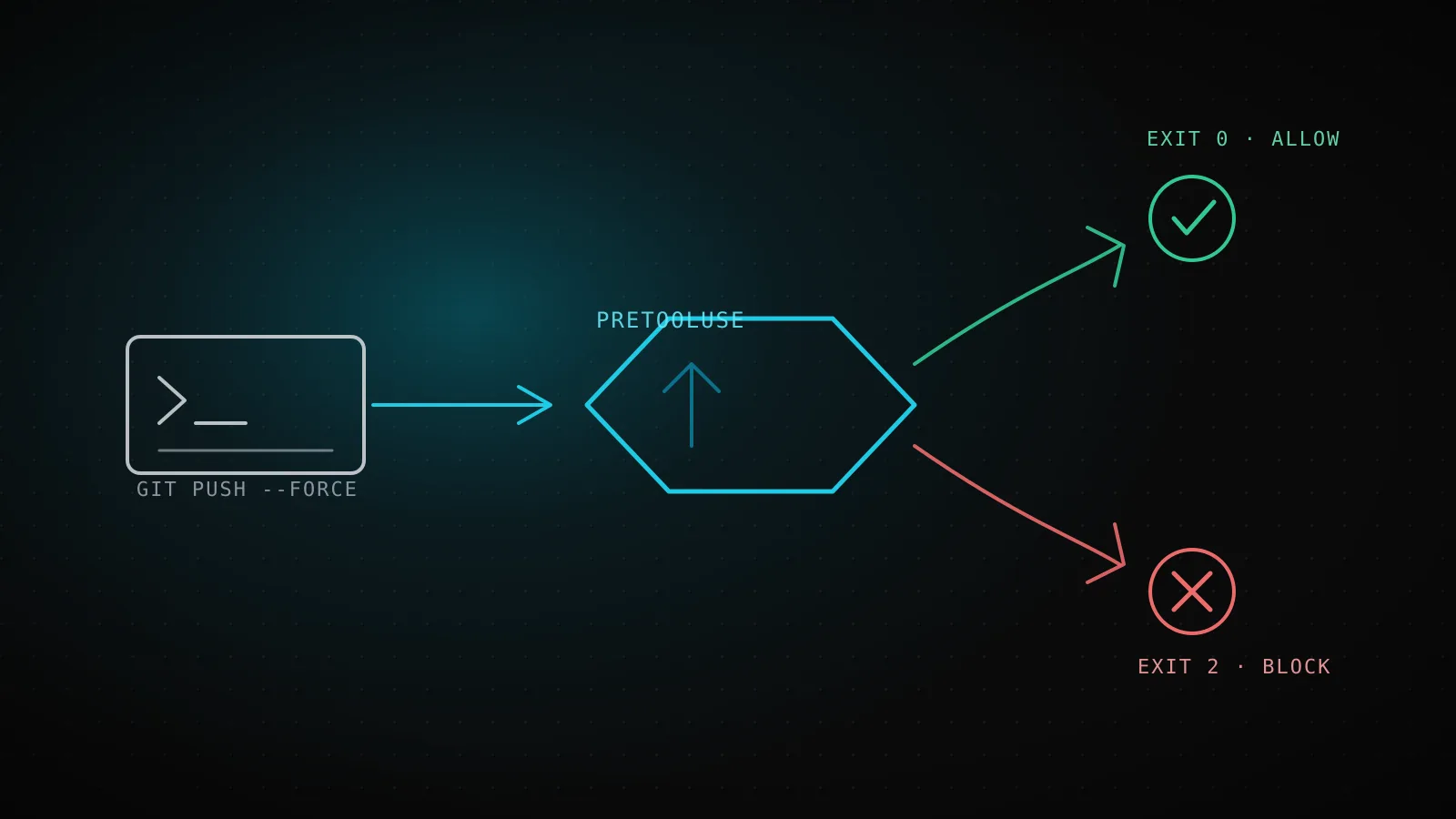
That's a different guarantee than a system prompt or a CLAUDE.md instruction. Both of those are context the model reads and might act on; a hook is code that runs, full stop. "Never force-push" in an instructions file is a request. A PreToolUse hook that greps the command and exits 2 on a match is an actual gate.
Every event a hook can fire on, and which ones can block
The current reference at code.claude.com/docs/en/hooks lists 31 lifecycle events, and 14 of them can block the action they fire on - the rest are notify-only, run after the fact, or fire on things a hook has no useful veto over (a directory being added, a message finishing its render). That's grown well past the roundups still being shared that count "23 hooks" - Claude Code has since split several events (PostToolUse now has a PostToolUseFailure sibling, PreCompact/PostCompact cover both sides of compaction, MCP elicitation got its own pair) since those were written, so treat any list you find elsewhere as a snapshot, not a spec.
Prompt & session
5 events · 2 can block
UserPromptSubmit, SessionStart, SessionEnd
Tool calls
6 events · 2 can block
PreToolUse, PostToolUse, PermissionRequest
Turn, subagent & task lifecycle
7 events · 5 can block
Stop, SubagentStop, TaskCompleted
Environment, config & MCP
13 events · 5 can block
ConfigChange, FileChanged, PreCompact, Elicitation
PreToolUse and Stop cover the two jobs most people reach for hooks to do - stop a specific action before it happens, and make sure something is true before Claude considers itself done - and they're the ones this guide builds examples around. The rest matter once you need them: SessionStart to re-inject context after compaction, ConfigChange to audit or block a settings edit mid-session, FileChanged to react to an edit that didn't come through Claude's own tools at all.
Configuring a hook: settings.json, matchers, and five handler types
A hook lives in a hooks block inside a settings file - .claude/settings.json for a project (commit it, the whole team gets it), ~/.claude/settings.json for everything you run locally, or .claude/settings.local.json for a machine-only override. Each event key holds an array of matcher groups, and each group holds one or more handlers:
{
  "hooks": {
    "PreToolUse": [
      {
        "matcher": "Bash",
        "hooks": [
          { "type": "command", "command": "${CLAUDE_PROJECT_DIR}/.claude/hooks/check.sh", "timeout": 30 }
        ]
      }
    ]
  }
}
The matcher scopes which calls trigger the group - for tool events it matches the tool name (Bash, Edit|Write, a regex like mcp__github__.*), for others it matches something event-specific (SessionStart matches on startup/resume/compact/etc., Notification on the notification type). Leave it empty or "*" to match everything the event fires on.
"type": "command" is what most hooks use, but four other handler types exist for cases a shell script doesn't fit:
http- POST the event JSON to a URL, get a JSON response back. Useful when the logic lives in a shared service rather than a script checked into every repo.mcp_tool- call a tool on an MCP server that's already connected, rather than shelling out.prompt- send the event data to a Claude model (Haiku by default) for a judgment call a regex can't make, and get back{"ok": true|false, "reason": "..."}.agent- likeprompt, but the model gets tool access first (read files, run commands) to verify something against the actual repo state before deciding. Marked experimental in the docs; the reference recommends command hooks for production.
How a hook actually blocks something: exit codes and JSON output
A command hook has two ways to answer, and mixing them per hook is a mistake the docs call out directly - pick one:
- 1
Claude calls a tool
PreToolUse fires first, before the tool runs
- 2
Every matching hook runs, in parallel
scoped by the matcher (tool name); all run to completion even if one denies
- 3
Exit 0, plain stdout
no objection reported - the normal permission flow still applies
- 4
Exit 2
the tool call is blocked outright; stderr text becomes Claude's feedback
- 5
Exit 0 + JSON permissionDecision
"allow" skips the prompt, "deny" cancels with a reason, "ask" shows the normal prompt
- 6
Hooks disagree? Most restrictive wins
order is deny, defer, ask, allow - one denying hook overrides a sibling's allow
Exit code 2 is the blunt instrument: write a reason to stderr, exit 2, and the action is blocked. Where that stderr message ends up depends on the event - for PreToolUse it comes back to Claude as the tool's error, so the model sees why and can try something else. This is the whole worked example below.
JSON on stdout with exit 0 is the precise instrument, and it's the only way to distinguish allow (skip the permission prompt), deny (block with a reason), and ask (fall through to the normal prompt) rather than just blocking or not blocking. It's also the only path for escalate, and for rewriting a tool's input via updatedInput before it runs instead of just vetoing it outright.
When more than one hook matches the same event, Claude Code runs all of them to completion in parallel - one hook returning deny doesn't stop a sibling hook's side effects from happening, and if hooks disagree, the most restrictive answer wins, in the order deny, defer, ask, allow.
Tested: a hook that blocks destructive git commands
Every git push --force and git reset --hard example in the official docs is either a protected-file blocker or left as an exercise, so here's a complete one, actually run against sample input rather than described in the abstract. This is the same category of command this project's own CLAUDE.md git safety rules call out by name - a PreToolUse hook is what turns "don't do this" from a written rule into something that can't happen:
#!/bin/bash
# block-destructive-git.sh - deny git commands that discard work or rewrite shared history
INPUT=$(cat)
COMMAND=$(echo "$INPUT" | jq -r '.tool_input.command // empty')

BLOCKED_PATTERNS=(
  'push[[:space:]]+(--force|-f)([[:space:]]|$)'
  'reset[[:space:]]+--hard'
  'checkout[[:space:]]+\.($|[[:space:]])'
  'clean[[:space:]]+-fd'
  'branch[[:space:]]+-D'
)

for pattern in "${BLOCKED_PATTERNS[@]}"; do
  if echo "$COMMAND" | grep -qE "$pattern"; then
    echo "Blocked: '$COMMAND' matches a destructive git pattern ($pattern) - ask the user before running this." >&2
    exit 2
  fi
done

exit 0
Registered as a PreToolUse hook scoped to Bash:
{
  "hooks": {
    "PreToolUse": [
      {
        "matcher": "Bash",
        "hooks": [
          { "type": "command", "command": "${CLAUDE_PROJECT_DIR}/.claude/hooks/block-destructive-git.sh" }
        ]
      }
    ]
  }
}
Before wiring that into a real settings file, the docs' own debugging advice is to pipe sample event JSON straight into the script and check the exit code - so that's exactly what this guide did, on the real script above, with four real commands:
git push --force origin main- exit code
- 2
git reset --hard HEAD~3- exit code
- 2
git status- exit code
- 0
git push origin feature-branch- exit code
- 0
The blocked ones return the exact stderr line Claude would see as its tool error; the allowed ones exit clean with no output at all, which is correct - a PreToolUse hook exiting 0 doesn't mean "approved," it means "no objection," and the normal permission flow still applies underneath it.
Two more patterns worth having
Blocking isn't the only job. Two patterns from the official quickstart cover the other common cases, unchanged from how the docs present them because there's no honest way to improve on a two-line example:
Auto-format after every edit - a PostToolUse hook matched on Edit|Write that pipes the changed file path to a formatter:
{
  "hooks": {
    "PostToolUse": [
      {
        "matcher": "Edit|Write",
        "hooks": [
          { "type": "command", "command": "jq -r '.tool_input.file_path' | xargs npx prettier --write" }
        ]
      }
    ]
  }
}
A desktop notification when Claude needs you - a Notification hook so you stop tabbing back to the terminal to check:
{
  "hooks": {
    "Notification": [
      { "matcher": "", "hooks": [{ "type": "command", "command": "notify-send 'Claude Code' 'needs your attention'" }] }
    ]
  }
}
PostToolUse can't undo what already ran - it fires after the tool call succeeds, so it's for reacting, not preventing. If the goal is to stop something before it happens, that's PreToolUse's job, not this one's.
The same gate, one layer up
A hook gates one tool call inside one session. This project runs the equivalent gate one layer up, at the repo level, because the agent that builds these guides runs unattended on a schedule with nobody watching the terminal: every write lands as a PR, never a push straight to main, and a PR only auto-merges once pr-check's checks - including a lint pass over anything the pipeline templates ship - and, for tool suggestions, seo-tool-validate's merge-only job, all report green. Different mechanism, same shape as the PreToolUse hook above: a rule that can't be skipped because the model decided to skip it, enforced by something outside the model entirely.
That's the pattern worth taking from this section, not the specific CI setup: wherever an agent runs without a human approving each step, the actual safety comes from a layer that runs regardless of what the model chooses - a hook inside one session, CI checks and required reviews across a whole pipeline.
Debugging a hook that isn't firing
- Confirm it's registered. Run
/hooksinside a session to browse every configured hook by event; select yours to see the matcher, type, source file, and command Claude Code actually parsed. - Test the script directly, before blaming Claude Code. Pipe sample JSON in by hand, exactly like the git-blocking example above, and check the exit code (
echo '...' | ./your-hook.sh; echo $?). Most "hook doesn't work" reports turn out to be a script bug this catches in seconds. - Check the matcher is exact. Matchers are case-sensitive, and a tool-name matcher only fires on that literal tool -
bashwon't matchBash. - Make sure the script is executable.
chmod +xon the file; a hook that silently does nothing is often just missing that. - Read the debug log for the full picture. Start with
claude --debug-file /tmp/claude.log(or run/debugmid-session) andtail -fit - it shows every hook that matched, its exit code, and its full stdout/stderr, which the transcript view alone doesn't.
When not to reach for a hook
A hook is the wrong tool when the check is a judgment call a script can't make reliably - "is this refactor a good idea" isn't a regex, and forcing it into one either blocks things that were fine or lets through things that weren't; that's what prompt and agent handler types exist for, or just leaving it to the model with good instructions. And a hook that runs on every single tool call adds latency to every single tool call - scope the matcher as narrowly as the job actually needs, because an unscoped PreToolUse hook that shells out on every Read and Bash call alike will make a session feel slower for a check that only ever mattered for one of them.
FAQ
Do hooks work with the Claude Agent SDK, not just the CLI?
Yes, but the registration differs. The SDK's hooks are in-process callback functions passed via an options.hooks map (HookMatcher entries in Python and TypeScript), not shell commands - a Python or TypeScript function receives the same tool_input/hook_event_name shape and returns the same hookSpecificOutput object (permissionDecision, deny reasons, and so on) described above. The SDK also still runs shell-command hooks from a project's settings file when settingSources includes it, so the two mechanisms compose rather than compete.
Can a hook see what Claude is about to write, not just which tool it's calling?
For Edit and Write tool calls, yes - tool_input on a PreToolUse event includes the file path and the content being written, so a hook can inspect the actual diff before it lands, not just the fact that an edit is happening.
What happens if a hook's script crashes or times out?
An unhandled crash or a timeout is a non-blocking error for most events: the action proceeds, and the transcript shows a <hook name> hook error notice with the first line of stderr. It fails open, not closed - which is exactly why the exit-2-to-block pattern exists as an explicit choice rather than a default.
Do hooks run for tool calls a subagent makes, or only the main session?
Hooks fire for subagent tool calls too. SubagentStart and SubagentStop exist specifically to hook into a subagent's own lifecycle, separate from the tool-level events it also triggers.
Is a hook the same thing as a permission rule?
No - permission rules (in permissions.allow / permissions.deny) are static policy Claude Code checks before a PreToolUse hook even runs, while a hook can inspect the actual command and decide dynamically. A hook denying something can't be bypassed by a looser permission mode, but a hook allowing something never overrides a permission rule that says deny.
Between the event table, the exit-code and JSON paths, and a hook that's actually been run against real input rather than described secondhand, that covers what it takes to turn "the agent should behave" into something that's actually enforced - the rest is picking which of the 31 events matches the one moment in your own pipeline that can't be left to chance.