Claude Code statusline: what to put on it when the agent is running unattended
10 min read
On this page
A Claude Code statusline is a shell script registered in settings.json that reads session data - cost, context usage, git state, and more - as JSON on stdin and prints back whatever you want on a bar above the input box. Claude Code reruns it automatically as the session changes: a new assistant message, a compaction, a permission-mode flip. Most write-ups stop at "customize it with a theme and the model name." That undersells the actual job: it's the only ambient signal a running session gives you without opening the transcript, and that matters far more once the session producing it isn't interactive at all.
TL;DR - Add a
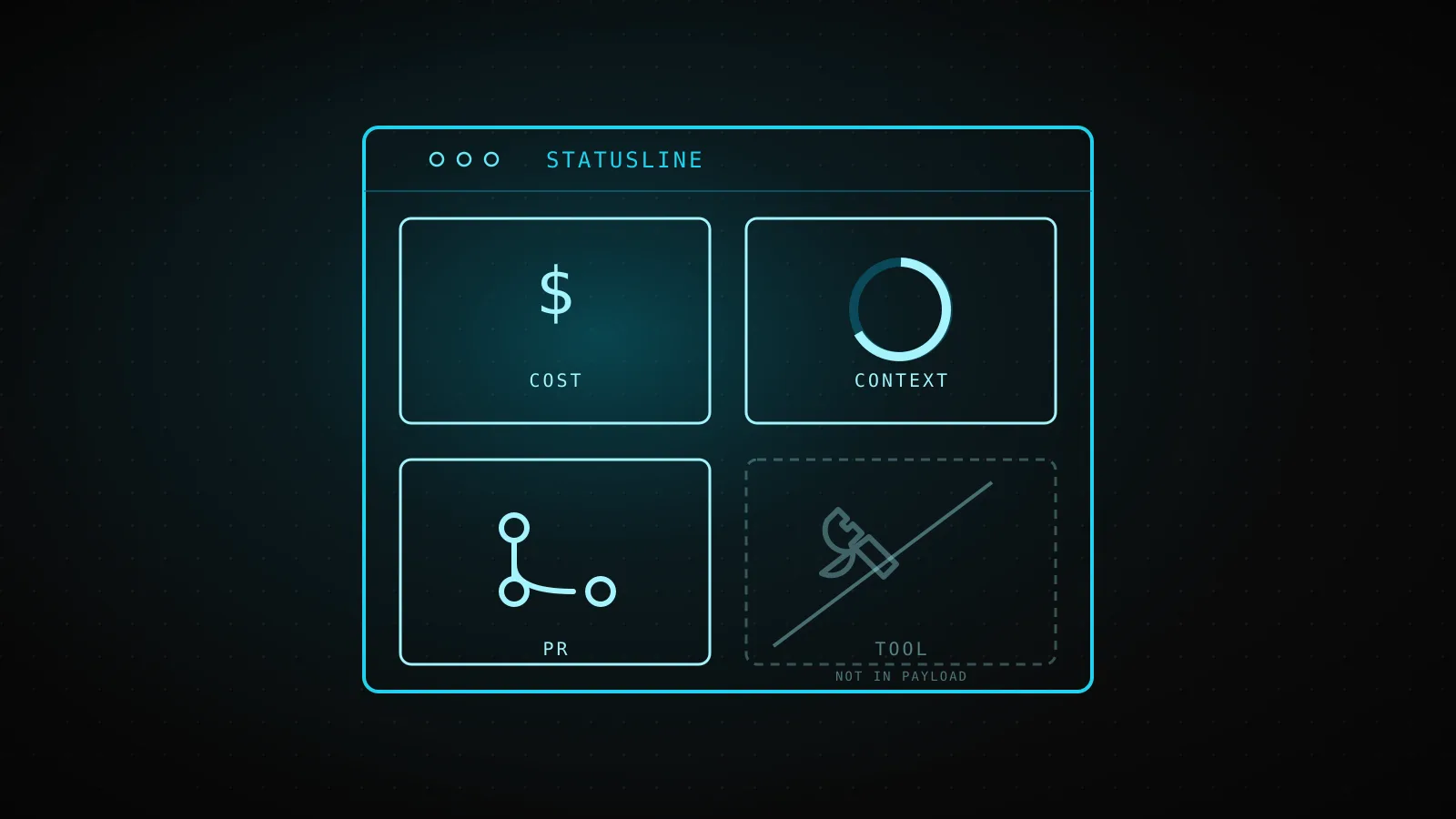
statusLineblock (type: "command", acommandpath or inline shell, optionalpaddingandrefreshInterval) tosettings.jsonand Claude Code pipes a JSON object to its stdin on every message,/compact, permission-mode change, vim toggle, and anyrefreshIntervaltick, then prints whatever the script writes to stdout. The payload carriescost.total_cost_usd/total_duration_ms,context_window.used_percentage,rate_limits.five_hour/seven_day.used_percentage,pr.number/review_state, and a dozen other fields - but not the current permission mode's name, not which tool just ran, and not a subagent's own numbers on the main line. A script tested against mock stdin below turns four of those fields into one line: cost burn per hour, context risk, and rate-limit headroom, color-coded so a bad number is red before you'd have to read the digits. A statusline only ever shows state; a hook is the one that can act on it. And none of this renders at all in a headless-prun - there's no interactive footer to draw it in.
What a statusline script actually receives, and what it flatly can't show
The config is small on purpose:
{
  "statusLine": {
    "type": "command",
    "command": "~/.claude/statusline.sh",
    "padding": 2,
    "refreshInterval": 30
  }
}
command runs in a shell, so a path or an inline jq one-liner both work. padding adds horizontal spacing; refreshInterval (minimum 1 second) is the one knob that turns this from purely event-driven into something that also ticks on a clock - worth setting when a background subagent is changing git state while the main session sits idle, since none of the event triggers below fire on their own in that gap.
The stdin payload is bigger than most examples let on. Past model.id/display_name and workspace.current_dir, it carries cost (total USD, wall-clock and API-wait duration, lines added/removed), context_window (used/remaining percentage, the raw token counts behind it), exceeds_200k_tokens, rate_limits.five_hour/seven_day/spend_limit (each with a used_percentage and a resets_at epoch), prompt_cache (hit ratio, warm/cold, TTL), session_id/session_name, version, output_style.name, vim.mode, agent.name, and - only while one's open - pr.number/review_state. Several of those are conditionally absent (pr, agent, rate_limits before the first API response) or null early in a session, so a script that assumes every field exists breaks on the first run it sees.
What the schema doesn't carry is the more useful list, because none of the page-1 customization guides spell it out:
Which permission mode it's in
a plan-mode-to-execute flip triggers a redraw, but the mode itself never lands in the payload - the script can react to the change, not report the state
Which tool just ran, or its input
no tool_name, no tool_input field anywhere in the schema - that data exists only on the PreToolUse/PostToolUse hook events, a different mechanism entirely
A subagent's own numbers, on the main line
cost and context_window describe the top-level session only; a subagent's burn shows up on its own row via the separate subagentStatusLine setting, or not at all
Anything, until workspace trust is accepted
the script doesn't run at all until the folder's trust dialog is accepted - the line stays blank, not stale, and claude --debug names the exact reason
Every trigger that makes it redraw
- 1
Session starts (including a resume)
the one guaranteed first run - everything after this is event-driven
- 2
A new assistant message arrives
the most frequent trigger during an active back-and-forth
- 3
/compact finishes
context_window.current_usage goes null until the next API call repopulates it
- 4
The permission mode changes
plan ↔ execute, accept-edits, bypass - the flip fires a redraw, the mode itself still isn't a field
- 5
Vim mode toggles
only relevant when vim mode is enabled at all
- 6
The statusLine command itself changes
skips the 300ms debounce and runs the new command immediately
- 7
A refreshInterval timer elapses
opt-in, minimum 1 second - the only trigger that fires with nothing else happening
- 8
A rate-limit window or warm prompt cache hits its own resets_at / expires_at
the last data the script saw carries its own clock, and Claude Code honors it
Claude Code debounces all of this at 300ms so a burst of changes collapses into one rerun, and cancels an in-flight script if a new trigger fires before it finishes - so a slow git status call inside your script can make the line lag behind the state it's describing, not just look busy. The docs' own fix is caching: key a temp file on session_id (stable per session, unique across concurrent ones) rather than a process id, and only shell out again after a few seconds have passed.
The signals worth putting on the line when nobody's at the keyboard
Watching a statusline while you're typing is one use case, and it's the one every generic customization guide already covers - model name, a context bar, a git branch. A session running unattended needs a different subset, because the question isn't "what am I doing right now," it's "is this run still healthy if I don't check it for another hour":
cost.total_cost_usdandtotal_duration_msturned into a burn rate, not a running total - a total climbing steadily is normal, a rate that just doubled usually isn't.context_window.used_percentageas the compaction-risk gauge - the same figure the docs' own progress-bar examples chart, and the one number that predicts whether the next few turns get noticeably worse.rate_limits.five_hour.used_percentage(andseven_dayfor a longer job) as headroom, not usage - a run that's fine at minute five can hit a wall at minute forty with nothing in between to warn you, and this is the only field that says so before it happens.pr.numberandreview_statefor anything that's supposed to end in an open pull request -pendingsitting there for longer than the run should take is itself a signal something stalled downstream of Claude Code entirely.session_idorsession_namethe moment more than one unattended session can be running against the same repo at once, so a glance tells them apart.
Notice what's missing from that list: which tool is currently running. It would be the single most useful line for babysitting a live session, and it isn't recoverable from this payload at any refresh rate - the schema update-trigger for a tool call doesn't exist, only message/compact/mode/vim/timer/limit/cache do. That gap is exactly what a hook is for, not a heavier statusline script.
A tested line: cost burn, context risk, and PR state in one string
Here's a script built from the fields above, run against mock stdin exactly the way the docs' own troubleshooting tips recommend testing one - piped in by hand, before it ever touches a real settings file:
#!/bin/bash
# unattended-heartbeat.sh - a statusline tuned for "is this overnight run still healthy",
# not for a human watching every keystroke.
input=$(cat)

MODEL=$(echo "$input" | jq -r '.model.display_name')
COST=$(echo "$input" | jq -r '.cost.total_cost_usd // 0')
DURATION_MS=$(echo "$input" | jq -r '.cost.total_duration_ms // 0')
PCT=$(echo "$input" | jq -r '.context_window.used_percentage // 0' | cut -d. -f1)
FIVE_H=$(echo "$input" | jq -r '.rate_limits.five_hour.used_percentage // empty')
PR_STATE=$(echo "$input" | jq -r '.pr.review_state // empty')

RED='\033[31m'; YELLOW='\033[33m'; GREEN='\033[32m'; RESET='\033[0m'

# burn rate in $/hour, guarding div-by-zero on a session that just started
RATE="0.00"
if [ "$DURATION_MS" -gt 0 ] 2>/dev/null; then
  RATE=$(echo "$COST $DURATION_MS" | awk '{printf "%.2f", ($1 / $2) * 3600000}')
fi

HEADROOM=""
if [ -n "$FIVE_H" ]; then
  LEFT=$(echo "$FIVE_H" | awk '{printf "%.0f", 100 - $1}')
  COLOR=$GREEN
  [ "$LEFT" -lt 30 ] && COLOR=$YELLOW
  [ "$LEFT" -lt 10 ] && COLOR=$RED
  HEADROOM=" | ${COLOR}${LEFT}% 5h left${RESET}"
fi

PR_FLAG=""
[ -n "$PR_STATE" ] && PR_FLAG=" | PR:${PR_STATE}"

printf "[%s] \$%.2f (%s\$/hr) | ctx %s%%%b%s\n" "$MODEL" "$COST" "$RATE" "$PCT" "$HEADROOM" "$PR_FLAG"
Two real invocations, mock JSON piped straight in - a healthy session first, then one shaped like an overnight run getting close to a wall:
$ echo '{"model":{"display_name":"Sonnet 5"},"cost":{"total_cost_usd":0.84,"total_duration_ms":1380000},"context_window":{"used_percentage":34},"rate_limits":{"five_hour":{"used_percentage":22}}}' | ./unattended-heartbeat.sh
[Sonnet 5] $0.84 (2.19$/hr) | ctx 34% | 78% 5h left

$ echo '{"model":{"display_name":"Sonnet 5"},"cost":{"total_cost_usd":11.42,"total_duration_ms":9420000},"context_window":{"used_percentage":88},"rate_limits":{"five_hour":{"used_percentage":94}},"pr":{"number":63,"review_state":"pending"}}' | ./unattended-heartbeat.sh
[Sonnet 5] $11.42 (4.36$/hr) | ctx 88% | 6% 5h left | PR:pending
The second line is the one the script exists for: burn rate nearly doubled, context past the point a few more turns get noticeably worse, and single-digit headroom on the five-hour window rendered in red rather than a number you'd have to do the subtraction on yourself.
Burn rate this run reported
$4.36/hr
computed from cost.total_cost_usd ÷ cost.total_duration_ms, not a flat per-token estimate
Context used
88%
context_window.used_percentage, the same input-only figure the docs' own bar examples chart
5-hour window left
6%
100 minus rate_limits.five_hour.used_percentage - the line the script prints in red under 10%
Statusline vs. a hook: visibility versus a veto
| | Statusline | Hook |
|---|---|---|
| What it sees | Session-level state: cost, context, git, rate limits | Per-event data, including tool_input for the exact call in flight |
| Can it block anything? | No - it only renders text | Yes - exit 2 or a deny JSON response stops the action |
| When it runs | On message/compact/mode/vim/timer/limit-reset triggers | On the specific lifecycle event it's registered against (PreToolUse, Stop, and 29 others) |
| Failure mode | Blank line, or stale until the next trigger | Fails open by default - a crash or timeout lets the action proceed |
They answer different questions on purpose. A statusline is read-only ambient state - useful for a human glancing at a terminal, and for pulling the same numbers into a log line from a script that already has to parse the same JSON shape for other reasons. A hook is the only one of the two that can turn "the agent is about to do something risky" into "the agent didn't." Reaching for a fancier statusline to catch a bad tool call is solving an enforcement problem with a display mechanism; it will never fire in time, because the schema it reads from was never built to carry that decision.
Where the mechanism stops applying entirely
A statusline needs an interactive footer to draw itself into, and a -p/headless run has none. DispatchSEO's own guide and tool builders run as scheduled, headless claude -p jobs with no terminal open at any point in the run - so no statusLine setting, however it's configured, ever produces output there. The nearest equivalent in that context isn't a statusline at all: it's the total_cost_usd and result fields in the --output-format json envelope the process prints once at exit, which a wrapper script can log or forward itself. The same split applies to the rate-limit headroom this guide leans on above - an interactive session can show a live countdown as a window clears, but a headless run that hits the same ceiling just exits non-zero with no equivalent live figure to watch first, statusline or otherwise.
Workspace trust is the other hard stop that a blank line can mean instead of a script bug: it doesn't execute at all until the current folder's trust dialog has been accepted, and claude --debug says so explicitly rather than leaving it to guesswork.
FAQ
Can I make my statusline show which tool Claude is currently running?
No - the JSON payload has no tool_name or tool_input field, and no trigger fires specifically when a tool call starts. That data exists only on PreToolUse/PostToolUse hook events, a separate mechanism with a separate settings block.
Does a statusline cost API tokens to run?
No - it runs locally against data Claude Code already has in memory, and the docs state this explicitly. The cost is whatever your script itself does (a git status call, a file read), not anything billed against the session.
Will /statusline write the tested script above for me?
/statusline generates a script from a natural-language description and wires it into settings automatically, which covers most single-purpose requests well. A multi-source script like the one here - cost, context, and rate limits combined with threshold coloring - is easier to write by hand and test with mock stdin than to describe precisely enough for generation to get the thresholds right on the first try.
Does refreshInterval replace the event-driven triggers?
No, it adds to them. Event triggers (a new message, /compact, and the rest) keep firing regardless; refreshInterval only fills the gap where none of those would otherwise fire for a while, such as a coordinator session idling on background subagents.
Is a statusline visible to someone connecting over the Claude Agent SDK instead of the CLI?
The SDK exposes the same session data programmatically rather than through a rendered terminal bar - there's no footer to draw into outside the CLI's own interactive UI, which is the same reason a headless -p run never shows one either.
A statusline pays for itself exactly once: the one time a number on it flags trouble before you'd have found out the hard way. Building it around the fields that actually predict that - burn rate, context risk, rate-limit headroom - beats a prettier line that just repeats the model name back to you.