Claude Code in Docker: a tested Dockerfile for unattended runs
10 min read
On this page
You can run Claude Code in Docker with a base image that has Node, an npm install -g @anthropic-ai/claude-code line, a non-root USER, and the token handed over as an environment variable when the container starts. Three things go wrong on the first try: bypass mode refuses to run as root, a bind-mounted repo is not writable by the image's user, and a token set with ENV ends up in the image.
TL;DR - Start from
node:22-bookworm-slim, installgit,curland the CLI, and switch toUSER node. PassCLAUDE_CODE_OAUTH_TOKENwith-eatdocker run, neverENVin the Dockerfile. If the mounted repo saysPermission denied, run with--user $(id -u):$(id -g). The container walls off the commands the agent runs, not the repo you mount in or the token you pass in. Built and run on a GitHub Actions runner for this guide: 13 seconds, 682 MB, Claude Code 2.1.287.
What does a container change for an unattended run?
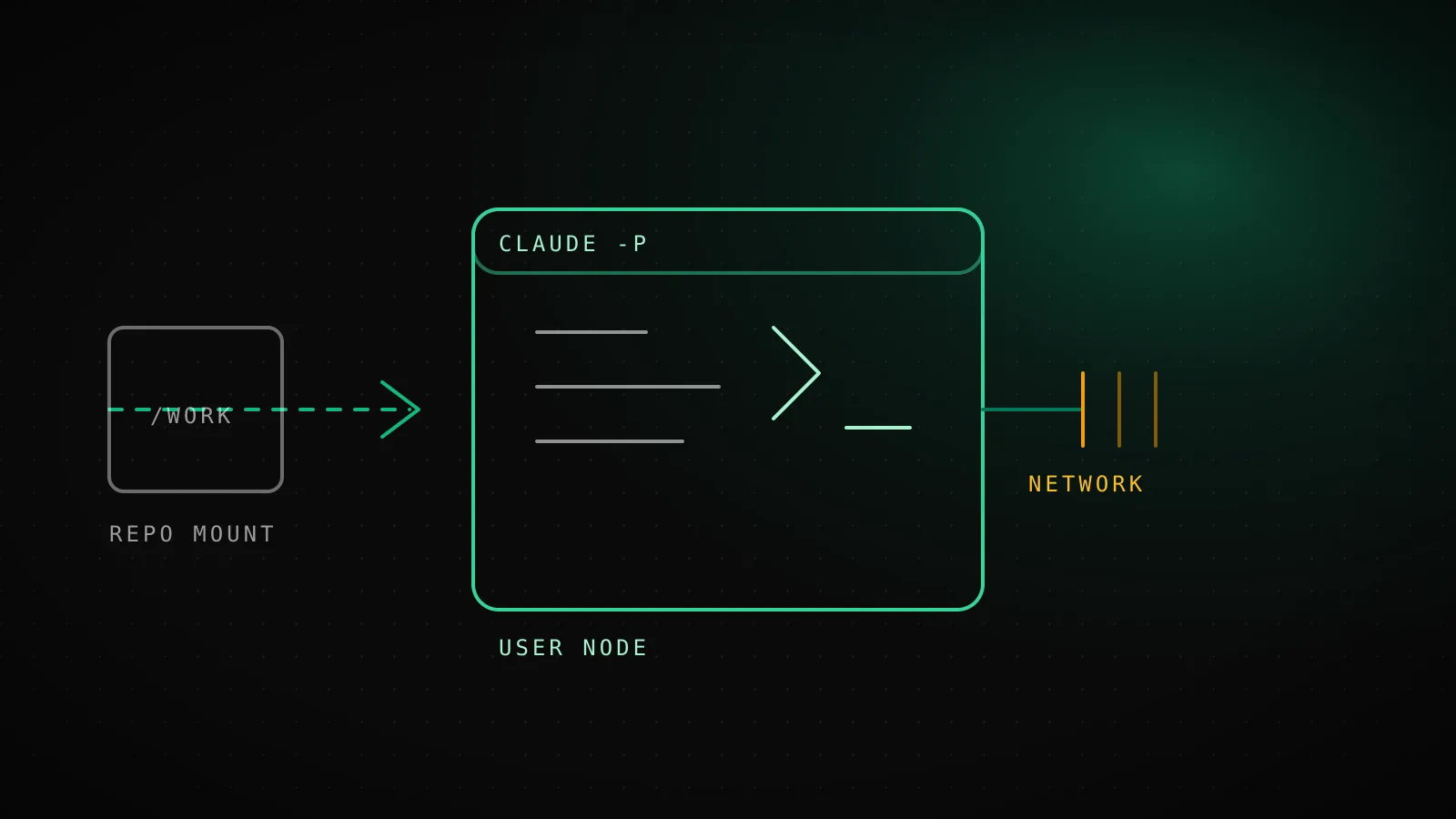
A container gives each run a clean, rebuildable machine that is not your machine. The agent's shell commands, the packages it installs and the files it writes outside your mounts disappear with the container. Two projects on one server stop sharing a home directory. A rebuild gives you the same toolchain every night, instead of whatever drifted on the host since the last one.
It does not make the run safe by itself. Anthropic's dev container docs put it plainly: with --dangerously-skip-permissions, a container does not stop a malicious project from exfiltrating anything reachable inside it, including the credentials stored in ~/.claude.
Behind the container wall
- Every shell command the agent runs
- Packages it installs and files it writes outside the mounts
- The rest of the host's filesystem and its other projects
- Processes, and the host's own ~/.ssh and cloud keys - unless you mount them
Still inside the blast radius
- The bind-mounted repo - edits land on the host as they happen
- Anything in the container's environment, including the Claude token
- Files in the ~/.claude volume, where credentials are stored
- Any host the network policy allows - open by default
So the design question is never "container or not". It is what you put inside it: which repo, which token, which network.
What is the smallest Dockerfile that runs claude -p?
This one is the whole thing. It is what we built and ran:
FROM node:22-bookworm-slim
RUN apt-get update && apt-get install -y --no-install-recommends git curl ca-certificates \
    && rm -rf /var/lib/apt/lists/*
RUN npm install -g @anthropic-ai/claude-code@latest
USER node
ENV HOME=/home/node
WORKDIR /workspace
ENTRYPOINT ["claude"]
git is there because most builds end in a branch and a PR. curl and ca-certificates are there because MCP servers and your own scripts need them. USER node is not optional if you plan to skip permission prompts: the CLI rejects --dangerously-skip-permissions for root, and the official docs tell you to confirm the container's user is non-root.
Build and check it:
docker build -t cc-min .
docker run --rm cc-min --version
docker run --rm --user root cc-min -p hi --dangerously-skip-permissions
Built and run on a GitHub Actions runner while writing this guide
- docker build, warm layer cache for apt13 sten-line Dockerfile on node:22-bookworm-slim
- image size682 MBNode, git, curl and the claude CLI
- claude --version inside the image2.1.287npm install -g @anthropic-ai/claude-code@latest
- id with USER nodeuid=1000(node)non-root, which bypass mode requires
- --dangerously-skip-permissions as rootrefused"cannot be used with root/sudo privileges for security reasons"
- touch into a bind mount owned by uid 1001Permission deniedfixed with --user $(id -u):$(id -g)
- curl api.anthropic.com with --network nonecould not resolve hostcurl exit 6 - the container has no route out
The root run printed --dangerously-skip-permissions cannot be used with root/sudo privileges for security reasons and exited. An unauthenticated claude -p "say hi" printed Not logged in · Please run /login, which is what you want to see before any credential is wired in: the image carries nothing it should not.
To pin the version for reproducible builds, replace @latest with an exact @X.Y.Z, and set DISABLE_AUTOUPDATER=1. The docs describe this as the way to keep a container from drifting - the dev container feature always installs the latest release, and Claude Code updates itself inside the container by default.
Why does the bind-mounted repo say permission denied?
This is the error most people hit first. You mount your checkout at /workspace, the image runs as node (uid 1000), and your checkout belongs to whoever you are on the host. On the runner this guide was built on, that was uid 1001:
$ docker run --rm -v /tmp/repo:/workspace --entrypoint sh cc-min -c 'touch /workspace/x && echo ok'
touch: cannot touch '/workspace/x': Permission denied

$ docker run --rm --user $(id -u):$(id -g) -v /tmp/repo:/workspace \
    -e HOME=/tmp/h --entrypoint sh cc-min -c 'touch /workspace/x && echo ok-with-user-flag'
ok-with-user-flag
Run the container as your own uid and the write works. Setting HOME to a writable path matters in that case: with an arbitrary uid there is no /home/node that belongs to it, and Claude Code needs somewhere to keep its config. Point HOME at a directory in a volume or at /tmp for throwaway runs.
If the container only needs a copy of the repo, skip the mount: git clone inside the container, let the agent push a branch and open a PR, and the host filesystem is never involved. That is the better default for a scheduled run, because the agent cannot edit files on your machine at all.
How do you pass the token without baking it into the image?
Generate a long-lived token once with claude setup-token, then pass it at run time:
docker run --rm \
  -e CLAUDE_CODE_OAUTH_TOKEN \
  -e HOME=/tmp/h --user $(id -u):$(id -g) \
  -v "$PWD":/workspace \
  cc-min -p "Run the weekly research task" --permission-mode bypassPermissions
With a bare -e CLAUDE_CODE_OAUTH_TOKEN, Docker copies the value from your shell and nothing is written into an image layer. We checked: a container started with -e CLAUDE_CODE_OAUTH_TOKEN=... listed it in env, and docker history --no-trunc on the image matched zero lines containing the token. An ENV or ARG line in the Dockerfile does the opposite, and anyone who can pull the image can read it.
| How it gets in | What it leaves behind | Verdict |
|---|---|---|
| ENV or ARG in the Dockerfile | The token sits in an image layer and in docker history | Never |
| -e CLAUDE_CODE_OAUTH_TOKEN at docker run | Only in that container's environment; docker history shows nothing | Default for unattended runs |
| Named volume at ~/.claude plus CLAUDE_CONFIG_DIR | Login survives rebuilds; anything in the container can read it | Interactive use |
| Bind-mounting the host's ~/.ssh or cloud credential files | The whole host key is reachable from the container | Avoid - use a scoped token |
For interactive containers, the docs recommend a named volume mounted at ~/.claude plus CLAUDE_CONFIG_DIR set to the same path. The second part matters: Claude Code keeps your OAuth account in ~/.claude.json, a file outside that directory, so a volume alone does not keep you signed in. For unattended work you do not need any of that. The token variable is the whole login, and the environment variables guide covers the other variables a headless run depends on.
Does the container stop the agent from reaching the network?
No, not by default. A container on Docker's default bridge can reach whatever the host can, so a bypassed run can still post your repo somewhere. Docker will cut it off entirely if you ask:
$ docker run --rm --network none --entrypoint sh cc-min -c 'curl -sS -m 3 https://api.anthropic.com'
curl: (6) Could not resolve host: api.anthropic.com
That also cuts off the model API, so --network none is a test, not a setup. The real choice sits between that and open: the reference dev container in the anthropics/claude-code repo ships an init-firewall.sh that limits outbound traffic to an allowlist, and needs the NET_ADMIN and NET_RAW capabilities to do it. The docs say plainly that the firewall and those capabilities are not required by Claude Code itself, so you can use your own network controls instead. Whatever you pick, the allowlist needs the model API, GitHub if the agent pushes, and the domain of every remote MCP server you connect.
MCP servers are the other thing to plan. Define them in a project-scope .mcp.json checked into the repo, install any binaries a local stdio server needs in the Dockerfile, and add remote server domains to the allowlist. If a run can start but its MCP tools are missing, check egress first.
What does the official dev container add on top?
If you want an editor attached, use the dev container route. Anthropic publishes a Dev Container Feature (ghcr.io/anthropics/devcontainer-features/claude-code:1.0) that installs the CLI into any dev container, and a reference container in anthropics/claude-code that combines the CLI, the egress firewall, persistent volumes and a Zsh shell. The docs call the reference a working example rather than a maintained base image.
Use the dev container when a person sits in the editor. Use a plain Dockerfile like the one above when the container is a job runner that starts, builds, and exits.
How does DispatchSEO's own builder container do it?
DispatchSEO's self-host stack runs a builder service that does exactly this job: it polls the backend for due work (the daily guide, weekly research, tool builds) and runs a headless agent next to it. It is the same pattern as the Dockerfile above with a few additions for running unattended:
- The same base and the same non-root rule.
FROM node:22-bookworm-slim, thenUSER node, because Claude Code refuses permission bypass as root. - All state in one volume.
HOME=/data, with adispatch-buildervolume mounted there, so a rebuilt image never loses its clones or logs. - A fresh clone per job, not a mount. Each run starts from a clean checkout of the site's repo, and the agent opens a PR instead of writing to your disk.
- The token arrives as a variable.
CLAUDE_CODE_OAUTH_TOKENcomes from.envor the dashboard and is checked for thesk-ant-oatshape before the first run. - A wall-clock cap on every run. The agent is wrapped in
timeout 5400, because a container does not make a hung run end sooner. See Claude Code is stuck for the layers that do.
The builder also bakes in gh, jq, python3 and the Codex CLI, since a project can pick either coding agent. None of that is needed for a single-agent setup. If you run the builder on GitHub's runners instead, the GitHub Actions guide shows the same loop without Docker, where the runner is the disposable machine.
When is a container the wrong boundary?
- You want to restrict Bash only. Claude Code's built-in sandbox mode is lighter and needs no image, though it does not cover file tools, MCP servers or hooks.
- You are mounting your real checkout and real keys. A container with your
~/.sshmounted is a bigger blast radius than none. The docs say to avoid mounting host secrets and to prefer repository-scoped or short-lived tokens. - You need a hard guarantee against untrusted code. A container is a strong default, but the docs themselves say no system is immune. Do not run an unreviewed repository with permission prompts off and an open network.
- The runner is already disposable. A fresh CI VM per job is an isolation boundary of its own. Adding Docker on top buys reproducibility, not much more safety. For what the flag itself does, read bypass permissions.
FAQ
Can I run Claude Code in a Docker container?
Yes. Install Node and @anthropic-ai/claude-code in the image, run as a non-root user, and pass CLAUDE_CODE_OAUTH_TOKEN as an environment variable at run time. The minimal image above builds in about 13 seconds and is 682 MB.
Why does Claude Code refuse --dangerously-skip-permissions in my container?
Because the container runs as root. The CLI rejects the flag for root, printing cannot be used with root/sudo privileges for security reasons. Add USER node (or any non-root user) to the Dockerfile.
How do I keep my API token out of the Docker image?
Never set it with ENV or ARG. Pass it with docker run -e CLAUDE_CODE_OAUTH_TOKEN, a Compose environment: entry or your orchestrator's secrets. A token passed this way did not show up in docker history in our check.
Why can't Claude Code write to my mounted repo?
The image's user and the mount's owner have different uids. Run the container with --user $(id -u):$(id -g) and set HOME to a writable path, or clone the repo inside the container instead of mounting it.
Does Docker make --dangerously-skip-permissions safe?
Safer, not safe. The container confines commands, but the agent can still change anything in a mounted workspace and reach anything the network policy allows. Anthropic's docs warn it will not stop exfiltration of credentials stored inside the container.
Should I use a dev container or a plain Dockerfile?
Use a dev container when you work in an editor like VS Code and want Claude Code in the same environment. Use a plain Dockerfile for scheduled or CI runs that start, build and exit.
Our own self-hosted stack runs its builder this way, so a self-hosted DispatchSEO ships the agent's runs in a container you can rebuild.