Claude Code bypass permissions: when --dangerously-skip-permissions is actually the right call
9 min read
On this page
--dangerously-skip-permissions turns off every one of Claude Code's approval prompts, not just the risky-looking ones - file writes, shell commands, edits to .claude/settings.json and other paths that normally can't be auto-approved, all of it runs immediately. It's the same mode as --permission-mode bypassPermissions and permissions.defaultMode: "bypassPermissions" under two other names, and Claude Code's own docs are direct about where it belongs: inside a container, VM, or the sandbox runtime, with nothing on the other side of that boundary worth protecting. Used there, it's the flag that makes an unattended, scheduled pipeline possible. Used on a laptop that also holds your SSH keys and a browser session, it's the flag that turns one bad command into an unrecoverable one.
TL;DR - The flag (equivalently
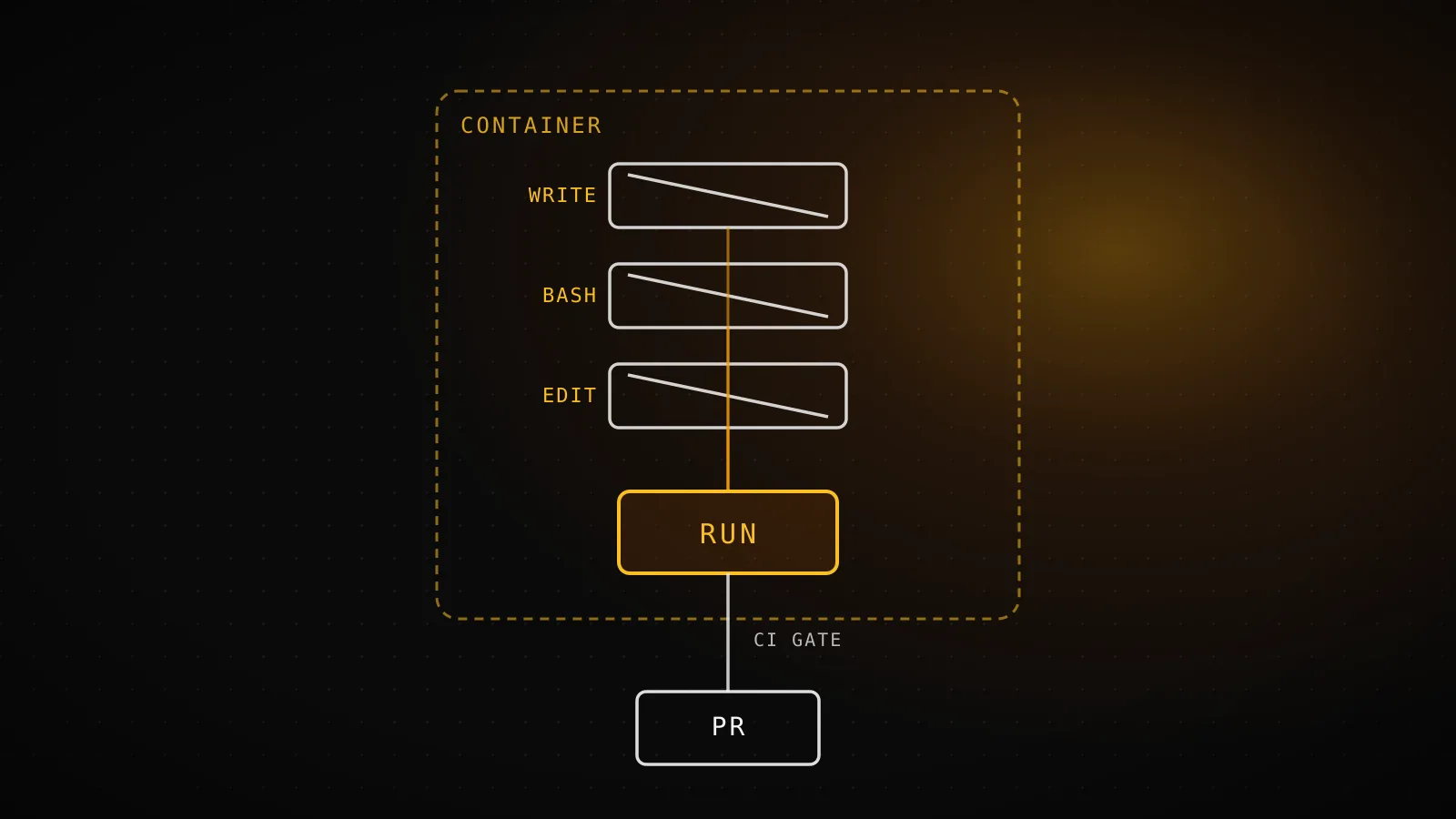
--permission-mode bypassPermissions) skips permission prompts and safety checks entirely, including writes to normally-protected paths like.gitand.claude. A short list still asks regardless: explicit ask rules, theAskUserQuestiontool, MCP tools markedrequiresUserInteraction,rm/rmdiragainst a critical path (filesystem root, home directory, your working directory and its parents), and cross-session messaging safeguards. Claude Code refuses to start this way as root or undersudoon Linux/macOS - checked on this build's own runner below, which isn't root, so that refusal never fires here. APreToolUsehook that exits with code 2 still blocks a call under this mode, because hook decisions sit outside the permission system the flag turns off - the one guardrail that survives. The three things that make the flag safe anyway: a real isolation boundary around the whole process, nothing sensitive reachable from inside it, and an independent gate outside the agent's own run that reviews what it produced. DispatchSEO's own daily builder runs this way in GitHub Actions, and its output is a pull request, never a push tomain.
What the flag actually skips, and the five things it never does
Compare it to the other permission modes and the shape is clear: every other mode reviews at least some actions before they run, and this one reviews none.
Skipped entirely
Every tool call's permission prompt
file writes, shell commands, MCP tool invocations - none of them stop to ask
Protected-path writes
.git, .claude, .mcp.json, shell startup files - normally never auto-approved, allowed here
The one-time warning dialog
shown once interactively, then remembered - skipped entirely in non-interactive (-p) runs
Still requires a decision
Explicit ask rules and AskUserQuestion
a rule you wrote, or a tool built to require an answer, still stops the session
rm / rmdir against a critical path
filesystem root, home directory, your working directory and its parents - still prompts
A PreToolUse hook that denies
exits with code 2 and blocks the call before permissions are even evaluated - outside this system
| Mode | What runs without asking |
|---|---|
| default (Manual) | Nothing outside a small built-in read-only command set |
| acceptEdits | File edits and common filesystem commands (mkdir, mv, rm, sed...) inside your working directory |
| auto | Everything, reviewed in the background by a classifier model instead of you |
| dontAsk | Only tools an explicit permissions.allow rule pre-approved |
| bypassPermissions | Everything, with no review at all |
But "everything" has a documented ceiling. The permission-modes docs name exactly five actions no mode auto-approves, bypassPermissions included: a tool matched by an explicit ask rule, a connector tool your organization set to require asking, the built-in AskUserQuestion tool and any MCP tool marked requiresUserInteraction, an rm/rmdir targeting a critical path, and the cross-session messaging inbound-message safeguard. None of those five care what permission mode is active. A deny rule still blocks the call outright in every mode too - bypassPermissions only removes the asking, not deny rules layered on top of it.
There's a sixth thing worth knowing about even though it isn't in that official list: a PreToolUse hook that exits with code 2 still stops the call before Claude Code gets to evaluate permissions at all. Hooks aren't part of the permission system this flag disables - they're a separate check that runs earlier in the pipeline. That's the one guardrail you can still wire in underneath bypassPermissions if you want a specific command family blocked no matter what mode the session is running in.
Why Claude Code refuses to start this way as root
On Linux and macOS, starting a session with this flag while running as root or under sudo fails outright, with the exact text:
--dangerously-skip-permissions cannot be used with root/sudo privileges for security reasons
The reasoning is straightforward: a process that already has root can reach far more of the host than the working-directory-scoped access most sandboxes assume, so removing the approval layer on top of that is a much bigger blast radius than removing it as an unprivileged user. The check is skipped automatically inside a recognized sandbox, and the docs point at the dev container configuration specifically because it runs Claude Code as a non-root user by default - the supported way to get a fully unattended container without hitting this refusal.
Tested: the exact runner and CLI version building this guide
Rather than describe the refusal secondhand, this build checked its own identity and its own CLI against it:
Running as root?
No
whoami -> runner, id -u -> 1001, on this repo's own GitHub Actions runner
OS on this runner
Ubuntu 24.04.4
cat /etc/os-release, checked live for this build
CLI version + flags
v2.1.259
claude --help confirms --dangerously-skip-permissions and --permission-mode bypassPermissions both still accepted
This GitHub Actions runner runs the guide-building session as runner (uid 1001) on Ubuntu 24.04.4, not root, so the root/sudo refusal above never triggers here - and the installed CLI is v2.1.259, which still accepts --dangerously-skip-permissions, --allow-dangerously-skip-permissions, and --permission-mode bypassPermissions as documented, confirmed against this exact binary's own --help output rather than assumed from memory. None of that makes this runner an isolation boundary on its own - it's a disposable, single-job container with no other tenant's data on it, which is the property that actually matters, not the uid check by itself.
The failure mode people actually hit (it isn't malice)
The realistic risk with this flag was never "the agent turns adversarial." It's an agent moving fast on a false premise, with nothing left to catch it before the action completes. The critical-path check is narrower than most people assume: it covers the filesystem root, top-level directories, your home directory, and your working directory and its parents - not an arbitrary directory you care about that happens to sit somewhere else on disk. rm -rf ~/Documents/old-project/* isn't a critical-path removal by that definition, so under this flag it just runs, no matter how much that directory mattered to you. The docs' own warning is blunt about the scope of what's left standing: bypassPermissions offers no protection against prompt injection or unintended actions at all - it removes a layer of review, and review was the thing standing between a plausible-looking bad idea and it actually executing.
The three preconditions that make it the right call
A real isolation boundary already wraps the whole process
a container, VM, or the sandbox runtime - not just the Bash-only /sandbox, which never covers Edit/Write, MCP servers, or hooks
Nothing sensitive is reachable from inside that boundary
no live credentials, no other tenant's data, no mounted host path worth stealing or destroying if the run goes wrong
An independent gate reviews what the run produces
a pull request and required CI checks, never a direct push - the check that catches what got past everything upstream of it
All three have to hold at once - drop any one and the flag is doing exactly what the warning says. A container with production credentials mounted into it fails precondition two. A sandboxed process whose output merges straight to main on a green build fails precondition three. The Bash sandbox only ever covers precondition one, and only for Bash - it's a real piece of the boundary, never the whole thing on its own.
DispatchSEO's own builder runs this way, and never on a laptop
This project's own daily guide-builder - the GitHub Actions workflow that writes and ships this exact article - runs headless with --permission-mode bypassPermissions on a fresh runner every time, precisely because all three preconditions above hold there and nowhere else on the project's stack. The runner is disposable and holds nothing beyond its own job; there's no interactive human to click through a permission prompt at 4am anyway. What makes that safe isn't the runner - it's what happens after: every write lands as a PR, seo-auto-merge.yml requires a green build before anything touches main, and a compromised or simply wrong command inside the run can produce a bad commit, but it can't ship one, because the gate sits in GitHub's infrastructure, outside the agent's own process entirely. Nobody runs this flag against their own laptop to save a few clicks - the moment real credentials or an interactive human's own files are in scope, precondition two is already gone.
A decision checklist before you type the flag
Before reaching for --dangerously-skip-permissions (or setting permissions.defaultMode: "bypassPermissions" so a whole team gets it by default), work through this in order:
- Is the session already inside a container, VM, or the sandbox runtime - not just the Bash-only
/sandbox? - If that boundary were fully compromised right now, is there anything inside it worth stealing or destroying? Credentials, other tenants' data, a mounted host path?
- Does the output of this run pass through an independent check - a PR and required CI, not a direct push - before it reaches anything that matters?
- On Linux or macOS, is the session running as a non-root user, so the flag doesn't refuse to start at all?
- Is there a
PreToolUsehook guarding the one or two specific commands you'd want blocked even here, as a backstop under the flag rather than instead of it?
A "no" on 1-3 means don't use this flag yet - reach for acceptEdits, auto mode, or the Bash sandbox's auto-allow instead, all of which keep some form of review in place. A "yes" across the board is the actual green light, not just "it's only a CI job."
FAQ
Is --dangerously-skip-permissions different from --permission-mode bypassPermissions?
No - they're the same mode, and the current docs say so directly: the flag is equivalent to passing --permission-mode bypassPermissions. --allow-dangerously-skip-permissions is a third variant that adds the mode to a session's mode cycle without switching to it immediately.
Does it really skip every single permission check?
No, five categories don't auto-approve in any mode, bypassPermissions included: an explicit ask rule, a connector tool your organization requires asking for, the AskUserQuestion tool and MCP tools marked requiresUserInteraction, rm/rmdir against a critical path, and the cross-session messaging inbound-message safeguard. A PreToolUse hook that denies a call also still blocks it, since hooks run outside the permission system entirely.
Can an administrator just turn this mode off for a whole org?
Yes - setting permissions.disableBypassPermissionsMode to "disable" in managed settings prevents the mode from being used at all, and managed settings can't be overridden by a command-line flag.
Does GitHub Actions refuse to run this flag the way it refuses root?
No, provided the job isn't running as root - a standard ubuntu-latest-class runner executes as an unprivileged user by default (runner, uid 1001, checked above), so the flag starts cleanly there. The safety property in a CI job comes from the job's own isolation and from what happens to its output afterward, not from the root check.
Is this the same thing as disabling the Bash sandbox?
No - they're different layers entirely. The Bash sandbox decides what a Bash command can reach on disk and over the network once it's running; permission mode decides whether a tool call runs at all, and whether anyone gets asked first. Turning off the sandbox widens what a sandboxed command could touch; using bypassPermissions removes the asking step for every tool, sandboxed or not.
The flag itself is a single, well-documented switch - what actually varies is whether the three preconditions around it hold. Get those right and it's the mechanism that makes a scheduled, unattended pipeline possible at all. Skip any one of them and the exact same flag is doing precisely what its name says.