Mangools alternative - one system instead of a suite you open by hand
6 min read
On this page
Mangools bundles seven tools under one login - KWFinder, SERPChecker, SERPWatcher, LinkMiner, SiteProfiler, an AI Search Watcher, and a browser extension - and doing SEO with it means opening whichever one today's task needs, by hand, starting around $37.70 a month. DispatchSEO covers the same jobs - keyword research, rank tracking, SERP checks, and now AI-citation tracking - as one system a coding agent runs on a schedule, with no dashboard tab to open at all. If picking the right module and clicking into it is the job you actually want to keep doing, this isn't a replacement for that. If not doing that clicking is the point, keep reading.
TL;DR - Mangools is seven separate tools (keyword research, SERP checks, rank tracking, backlinks, site metrics, AI-citation visibility, plus a browser extension) triggered by hand from one login. DispatchSEO runs the same research-and-tracking jobs as background automation - crons and MCP tools instead of tabs - and this project's own account, 24 days old, shows exactly what that produces without anyone opening a dashboard to go get it: 0 DR-equivalent, a 0% AI-citation rate, 3,892 impressions and 0 clicks.
Everything under one Mangools login, and who opens which tool when
Most "Mangools alternative" roundups still describe five modules - KWFinder, SERPChecker, SERPWatcher, LinkMiner, SiteProfiler - because that's what the product looked like when those pages were written. Two pieces have joined since: an AI Search Watcher that checks whether ChatGPT and other AI search engines mention a brand, and a browser extension for quick metrics on whatever page you're already viewing. Split apart, here's the current set and what each one actually does:
| Mangools tool | Job | You trigger it by | DispatchSEO equivalent |
|---|---|---|---|
| KWFinder | Keyword ideas, volume, and difficulty | type a seed word in, read the list | keyword_ideas / suggest_keywords, run by the weekly research pass |
| SERPChecker | Localized SERP with 49 metrics per result | paste a keyword, screenshot page 1 | check_serp, called automatically inside the build's thin-content gate |
| SERPWatcher | Rank tracking, weekly by default | add a keyword, open the dashboard to check it | track_keywords + a nightly cron + get_rankings |
| LinkMiner | Backlink opportunities for a domain | search a domain, review the link list | get_backlink_prospects, queued by the weekly backlinks workflow |
| SiteProfiler | SEO metrics overview of a site | paste a URL, read the summary | get_domain_rank, refreshed by a weekly cron |
| AI Search Watcher | Brand visibility inside ChatGPT and AI search | open the dashboard, read a report | get_ai_visibility, filled in by the weekly sweep and geo-scan workflow |
| Browser extension | Quick metrics for whatever page you're on | click the extension icon per page | none - no browser companion, and this guide isn't pretending otherwise |
Six of the seven map onto something this project already runs as automation instead of a click. The seventh - the browser extension - doesn't, and the table says so rather than inventing a stretch. There's no DispatchSEO equivalent to a thing you click while browsing, because nothing here expects you to be browsing.
The thing all seven have in common: you're the trigger
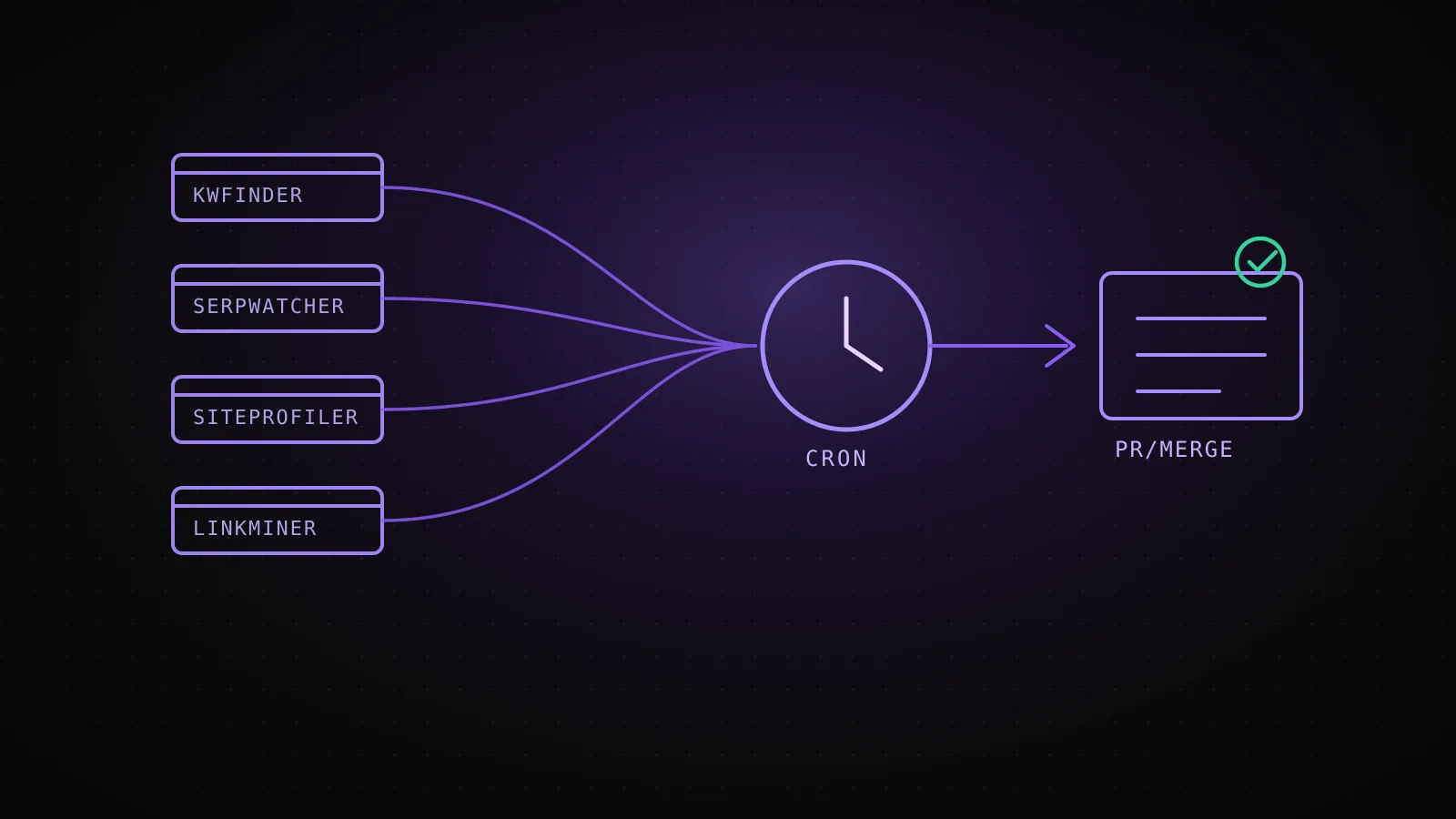
None of Mangools' tools talk to each other on a schedule. KWFinder doesn't hand its winning keywords to SERPWatcher; SERPWatcher doesn't tell SiteProfiler a new page just started ranking. Each one waits in its own tab for a person to open it, ask it something, and come back later to check the answer - which is exactly the job it's built for, and exactly the seam DispatchSEO removes:
Mangools' loop - you're every step
Open KWFinder
type a seed keyword, note the ones worth pursuing
Open SERPWatcher
add each keyword by hand to the tracked list
Come back weekly
open the dashboard to read the new positions
Open SiteProfiler
paste the URL again to check the site's own metrics
Repeat next week
nothing carries over unless you open the tab
DispatchSEO's loop - you're the review step
Weekly research pass
keyword_ideas + check_serp run against your own DataForSEO account
track_keywords adds the winner
no separate step to remember - the same run that found it tracks it
Nightly cron checks position
runs whether or not anyone is looking that day
get_rankings + get_domain_rank feed the report
the dashboard and get_cron_health surface it on your schedule
A drafted guide or tool queues itself
the gap becomes a suggestion, not a task on your list
The research pass that finds a keyword is the same run that starts tracking it. The rank check that finds a gap is the same pipeline that can turn it into a drafted guide - the same build-vs-buy tradeoff this project's own SERP-tracking writeup covers from the infrastructure side. Nothing here requires a person to remember which tab to open next.
What ran on its own while this page was being written
The clearest way to show what "automated" actually produces is to pull this project's own numbers instead of a vendor's mockup - the same three MCP tools (get_domain_rank, get_ai_visibility, get_rankings) that a Mangools SiteProfiler, AI Search Watcher, and SERPWatcher would separately require opening:
dispatchseo.com, pulled live while writing this guide - 24 days old
DR-equivalent
0
2 referring domains, 59 backlinks
AI-citation rate
0%
0 of 97 checks across ChatGPT, Claude, Google AI Overview
GSC impressions
3,892
0 clicks, last 26 days
This keyword, tracked
2 checks
“mangools alternative” - no rank yet, page didn't exist
SiteProfiler, AI Search Watcher, and SERPWatcher would report the same kind of numbers for an account this new - the difference isn't the numbers, it's that nothing here required opening a dashboard to go get them.
None of those are impressive numbers, and that's the point of showing them instead of a screenshot from a mature account. A 24-day-old, DR-0 domain gets a 0% AI-citation rate and near-zero clicks whichever tool checks it - the difference is that these came back without anyone deciding to go look. This exact keyword, "mangools alternative," has been sitting in the tracked list since two days after the idea was queued, checked twice by the nightly cron, both times confirming what you'd expect: the page didn't exist yet to rank for it.
A seat you renew every month vs a repo you already pay for
Mangools' own pricing copy puts its starting price at $37.70 a month across three tiers - Basic, Premium, and Agency - with extra seats billed on top and a free plan for occasional single lookups. That's a genuinely fair price for what it is: a shared login a team keeps paying for as long as anyone needs to open one of the seven tools.
DispatchSEO doesn't have a seat to renew, but it isn't free either - it needs a DataForSEO account of its own (billed to whoever runs the project, not bundled into a subscription tier) and a coding agent already running in a repo to drive the MCP server. If you're not already paying for an agent CLI for other work, standing one up just to dodge a $37.70 seat costs more setup time than it saves. If you are, the marginal cost of adding this project's research and tracking jobs to what that agent already does is close to zero - and it doesn't grow if a second or third person needs to see the results, the way an extra Mangools seat does.
Where a login still beats a repo
Mangools stays the right tool when the job is genuinely exploratory - typing ten different seed keywords into KWFinder in twenty minutes to see what surfaces, or pulling up SiteProfiler on a competitor's domain mid-call. A person clicking through options and following a hunch is still faster than describing that hunch to an agent. It's also the simpler choice for a small team that wants a shared, point-and-click dashboard without anyone standing up a repo, an agent, or a DataForSEO account first - the free plan exists precisely for that occasional, no-commitment lookup.
Where the job is narrower and repeats - track a list of keywords, watch Search Console, keep a content pipeline moving without anyone remembering to open a tab - the automated half is the whole job, and a suite of switches to flip by hand starts costing more attention than it saves.
FAQ
What does Mangools actually include in 2026? Seven tools behind one login: KWFinder (keyword research), SERPChecker (SERP analysis), SERPWatcher (rank tracking), LinkMiner (backlink research), SiteProfiler (site metrics overview), an AI Search Watcher (AI-search brand visibility), and a browser extension. Most "alternative" articles still list only the first five.
Does DispatchSEO replace Mangools' AI Search Watcher?
For this project's own domain, yes - get_ai_visibility tracks citation rate across ChatGPT, Claude, and Google AI Overview on a weekly sweep. It isn't a general-purpose brand-monitoring tool for arbitrary domains the way Mangools' feature is; it only watches the site it's running for.
Is DispatchSEO free the way Mangools has a free plan? No. It needs its own DataForSEO account (billed per call, to the project owner) and a coding agent subscription already running in a repo. There's no seat price, but there's no zero-cost tier either. For a single no-login check in the same spirit as Mangools' free tools, the free keyword cannibalization checker runs one slice of this same pipeline in the browser.
Can DispatchSEO do the kind of ad hoc keyword lookup KWFinder is built for?
Not interactively in the same session. The keyword_ideas and suggest_keywords tools run as part of a scheduled research pass, not a type-and-see exploration loop - for open-ended brainstorming, KWFinder's UI is still the better fit.
Do I need to already be running a coding agent to use this? Yes. DispatchSEO is MCP tools and crons an agent drives inside a repo - without one already in place, this isn't a lighter alternative to Mangools, it's a bigger project to take on first.
Mangools earns its price for what it is: seven well-made tools you decide when to open. The honest question isn't which one wins - it's whether picking the right tool and clicking into it is the workflow you want to keep doing by hand, or the part you'd rather a system did without being asked.