Google Search Console vs Google Analytics: which one to read for SEO, and why the numbers never match
9 min read
On this page
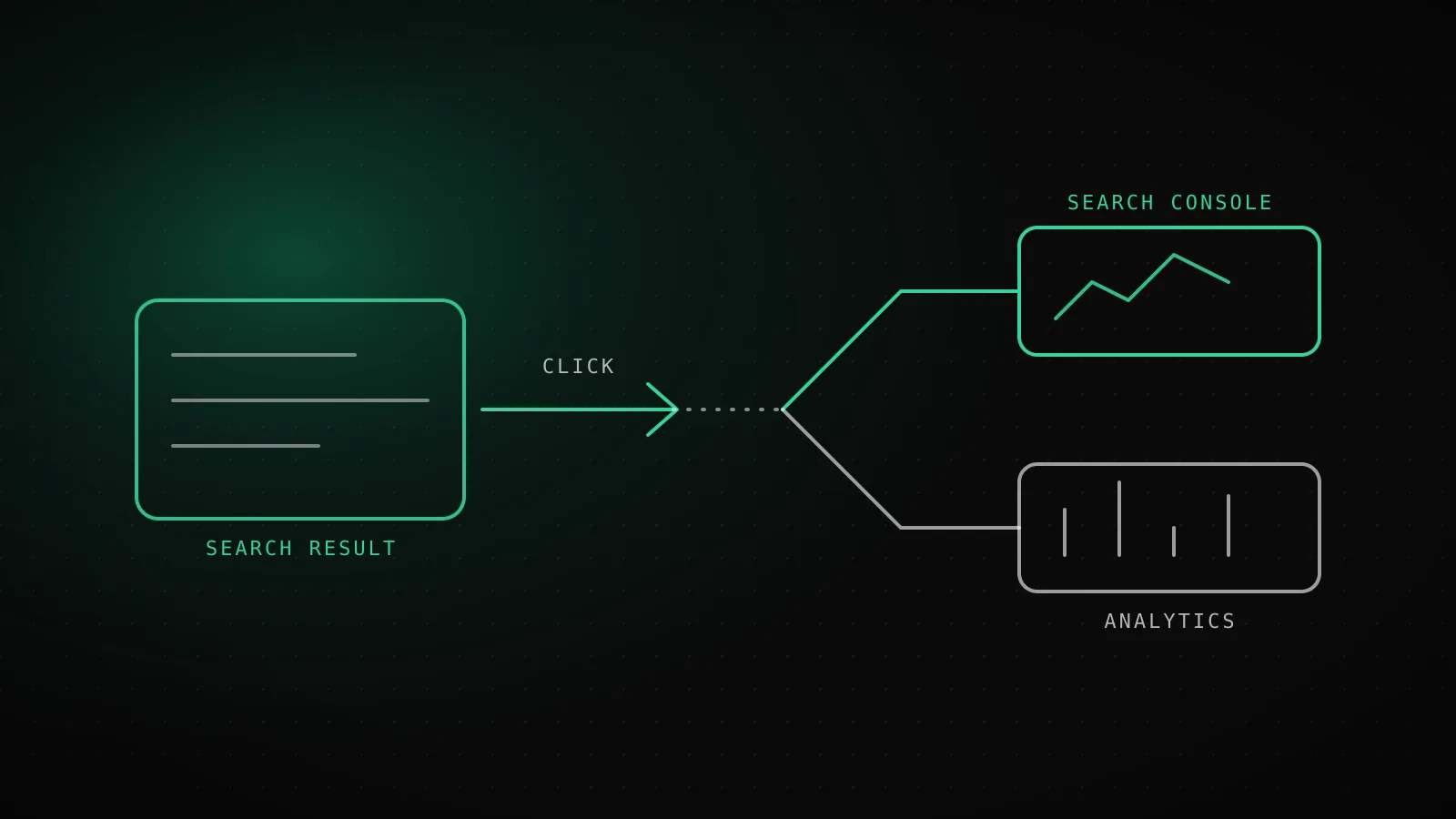
Open Search Console when the question is "how do I get found", and Analytics when it is "what did people do once they arrived". Search Console reports what happens on Google's results page: queries, impressions, position, clicks. Analytics reports what happens on your site after the page loads. Their click and session totals will never match, and that is normal.
TL;DR - Keyword and content decisions come from Search Console, because only it sees searches that did not click. Conversion and channel questions come from Analytics. The two organic numbers differ by design: different unit, consent, tag timing, channel rules and search engines. Do not reconcile them. Pick one for each question and read the trend, not the total.
Before the click
Search Console
- Queries typed
- Impressions
- Average position
- Click-through rate
- Indexing and crawl errors
After the click
Google Analytics
- Sessions and engaged time
- Pages per visit
- Conversions and revenue
- Traffic from every channel
- Visitors who left the site
Which question does each tool answer?
Search Console answers questions that start on Google. Which queries show your pages, how often, at what position, and how many people clicked. It also owns indexing: which URLs Google has, which it skipped, which returned errors. If a page is missing from search, only Search Console can tell you why.
Analytics answers questions that start on your site. How long visitors stayed, which pages they read next, which signups came from which channel. It sees every channel, search included, but it cannot see a search that never produced a click, which is exactly the data an SEO decision needs most.
A page can sit at position 9 and collect 400 impressions with no clicks. Search Console shows you that page. Analytics shows you nothing, because nobody arrived.
What does each tool actually count?
| | Search Console | Google Analytics (GA4) | |---|---|---| | Counts | Impressions and clicks on Google results | Sessions and events fired by a tag in the browser | | Search engines | Google only | Every engine that sends a referrer, in the Organic Search channel | | Sees searches with no click | Yes, as impressions | No | | Sees what happens after the click | No | Yes | | Needs a script on your pages | No | Yes | | Data retention | 16 months | Depends on your GA4 settings | | Newest data | Preliminary for the last few hours | Standard reports can lag |
Two counting rules from Google's help pages change how you read the first column. Clicks and impressions are merged per property: if two of your pages show for one query, that is counted once in the property total, and only the topmost position is reported. Per page, every URL gets its own impressions, clicks and position. So the same query can look like one impression in the site total and three in the page view.
The newest data is also marked preliminary. Google says it is "still being collected and may change in the next few hours", and by default the report shows complete days.
Why will the two click numbers never match?
Five things pull them apart. None is a bug, and you cannot remove all of them.
Different unit
A click is one tap on a Google result. A session is a visit that Analytics recorded. One click can open no session, and one session can follow many clicks.
Consent and blockers
Analytics runs in the browser. A visitor who declines cookies or blocks the script is a Search Console click and no Analytics session.
Landing before loading
Someone who closes the tab before the page finishes loading was counted by Google the moment they tapped, and never fired the tag.
Channel grouping
GA4 sorts a visit into Organic Search by its referrer and tags. Redirects, missing referrers and tagged links push real search visits into Direct or another channel.
Search engines beyond Google
Search Console only reports Google. GA4's Organic Search channel also includes Bing, DuckDuckGo and the rest, so it can come out higher.
The first four make Analytics read lower or shuffle visits between channels. The fifth pushes it higher. Which one wins depends on your audience: a site read by developers with blockers installed will see Analytics trail Search Console by a wide margin, while a site with real Bing traffic can see it the other way round.
The practical rule is to stop comparing the totals. Compare each tool with its own past. If Search Console clicks to a page doubled and Analytics sessions to it did too, the story agrees even though the numbers differ. If they diverge in direction, check whether you changed the tag, a consent banner or a redirect that week.
What did one young site's Search Console data actually look like?
I pulled this site's own Search Console history for this guide. It is a few months old, so the numbers are small, and I am showing them because the shape teaches more than a clean example would.
Clicks
7
29 snapshots, 2026-09-22 to 2026-10-20.
Impressions
206
106 of them (51%) on three days, 10-06 to 10-08.
Days with zero
5
Five snapshots reported no impressions at all.
| Page | Clicks | Daily position | What it shows |
|---|---|---|---|
| dispatchseo.com/ (homepage) | 7 of 7 | about 1 to 8 | Every click this month, mostly on the brand name |
| /blog/ahrefs-alternative | 0 | mostly 80 to 87 | 43 impressions, none of them clicked |
| /blog/mangools-alternative | 0 | about 2 to 68 | Position 2 on one day, 67 on another |
get_site_stats, read 2026-10-20. A months-old domain, not a broken one.
Three things stand out, and an Analytics pageview count would have hidden all of them:
- All 7 clicks went to the homepage. The guides that earned impressions earned none.
/blog/ahrefs-alternativecollected 43 impressions at positions around 80 to 87 and zero clicks. Analytics would simply have shown "a few visits to the homepage". - Impressions come in bursts. 106 of the 206 impressions landed on 3 days, and 5 days reported nothing at all. A weekly total is noisy at this size. A 28-day window is the smallest one worth reading.
- Average position lies when brand and non-brand mix. On 2026-10-07 the site-wide average position was 60.1, while the homepage sat at position 2 for the brand name. Both are true. Always filter by page or by query before you trust a position.
This site has no Analytics property wired to this data, only page-view counts from Vercel, so I cannot show you a measured Search Console vs GA4 gap for it. What I can say is that the Search Console side alone told me which pages were visible and which were not.
Which tool settles which decision?
| Decision | Read this | Why | |---|---|---| | Which keyword to target next | Search Console (queries) | It lists queries you already show for, including ones with no clicks | | Which page to rewrite | Search Console (pages, position 5 to 20) | Impressions with weak position or low click-through are the cheapest wins | | Is a page indexed | Search Console | Analytics cannot tell a missing page from an unvisited one | | Which title to change | Search Console (click-through rate by query) | CTR belongs to the results page | | Which landing page converts | Analytics | Conversions happen after the click | | Did the redesign hurt engagement | Analytics | Time, scroll and next-page behaviour live there | | Which channel brings paying users | Analytics | It sees every channel, not just search |
Notice the split. Everything about being found goes to the left tool, everything about being chosen once found goes to the right one. If you only have time for one on a new site with no conversions to measure yet, it is Search Console. SEO for startups: the first 90 days explains why the first months are almost entirely about that data.
How do you connect them in GA4?
You can see Search Console metrics inside Analytics by linking the two properties. In Google's Analytics help, the link needs the Editor role on the Analytics property and verified owner status on the Search Console property, and links cannot be edited, only deleted and recreated. The Search Console report collection is unpublished by default: find it under Library in the left navigation and publish it.
Two limits to know before you rely on it. Search Console data reaches Analytics 48 hours after Search Console collects it, and it keeps only the last 16 months. Search Console metrics also combine only with Search Console dimensions plus landing page, device and country, so you cannot slice queries by an Analytics audience. It is useful for seeing landing pages with both kinds of numbers on one screen. It is not a replacement for opening Search Console itself.
What does a 10-minute weekly review in Search Console look like?
Do it on the same day each week. Set the date range to the last 28 days, compared with the previous 28.
- Performance, Queries (2 minutes). Sort by impressions. Note any new query that showed up and any that vanished.
- Performance, Pages (2 minutes). Filter to pages at position 5 to 20 with real impressions. These are the rewrite candidates. Write down one.
- Compare click-through rate against position (2 minutes). A page at position 3 with a low CTR needs a better title, not more content.
- Indexing, Pages (2 minutes). Check the count of indexed pages and open any new "Not found (404)" or "Crawled, currently not indexed" row. How to fix 404 errors in Google Search Console covers the triage.
- Write one action (2 minutes). One line: what you will change this week, and which number you expect to move.
Ten minutes is deliberate. A review that takes an hour gets skipped by week three, and the review you skip tells you nothing.
How do you stop pulling it by hand?
Search Console has an API, and it is free. The part that takes time is not the call, it is remembering to look and then turning the numbers into a decision. Two honest options: a scheduled script that saves the daily snapshot to a sheet or a database, or a tool that does it for you.
DispatchSEO takes the second route. It snapshots your Search Console data on a schedule and keeps the history in its own database, so the 16-month window stops being a deadline. Your coding agent can read it and queue the next page to write. If you want to see how the pieces fit, Google Search Console MCP walks through connecting the data to an agent, and the best SEO tools for beginners covers the free stack around it.
When is Search Console not enough?
- You sell something. The moment you have a signup or checkout, you need Analytics or an equivalent, because Search Console cannot see a conversion.
- Search is not your main channel. If most visits come from social, email or referrals, Search Console covers a minority of your traffic.
- You need Bing or other engines. Search Console reports Google only. Bing Webmaster Tools is the matching tool there.
- You need user-level behaviour. Search Console reports aggregates by query and page. It has no visitors to follow.
FAQ
Is Google Search Console the same as Google Analytics?
No. Search Console reports how your site performs in Google Search: queries, impressions, clicks, position and indexing. Analytics reports what visitors do on your site after they arrive, from every channel.
Which one should I use for SEO?
Search Console for finding keywords, choosing pages to improve and checking indexing. Analytics for judging whether organic visitors convert.
Why do my Search Console clicks not match my Analytics sessions?
They count different things. A click is a tap on a Google result, a session is a recorded visit. Consent choices, blockers, tags that fail to load, channel grouping and non-Google search engines all push the two apart.
Can I use both together?
Yes. Link the properties in GA4 and publish the Search Console report collection. Data arrives 48 hours late and covers the last 16 months.
Do I need Analytics if I have Search Console?
Not on day one for a site with nothing to convert. Once you have signups or sales, yes.
How far back does Search Console data go?
Sixteen months. Export or snapshot it if you want a longer history.