How to fix 404 errors in Google Search Console, and stop them coming back
8 min read
On this page
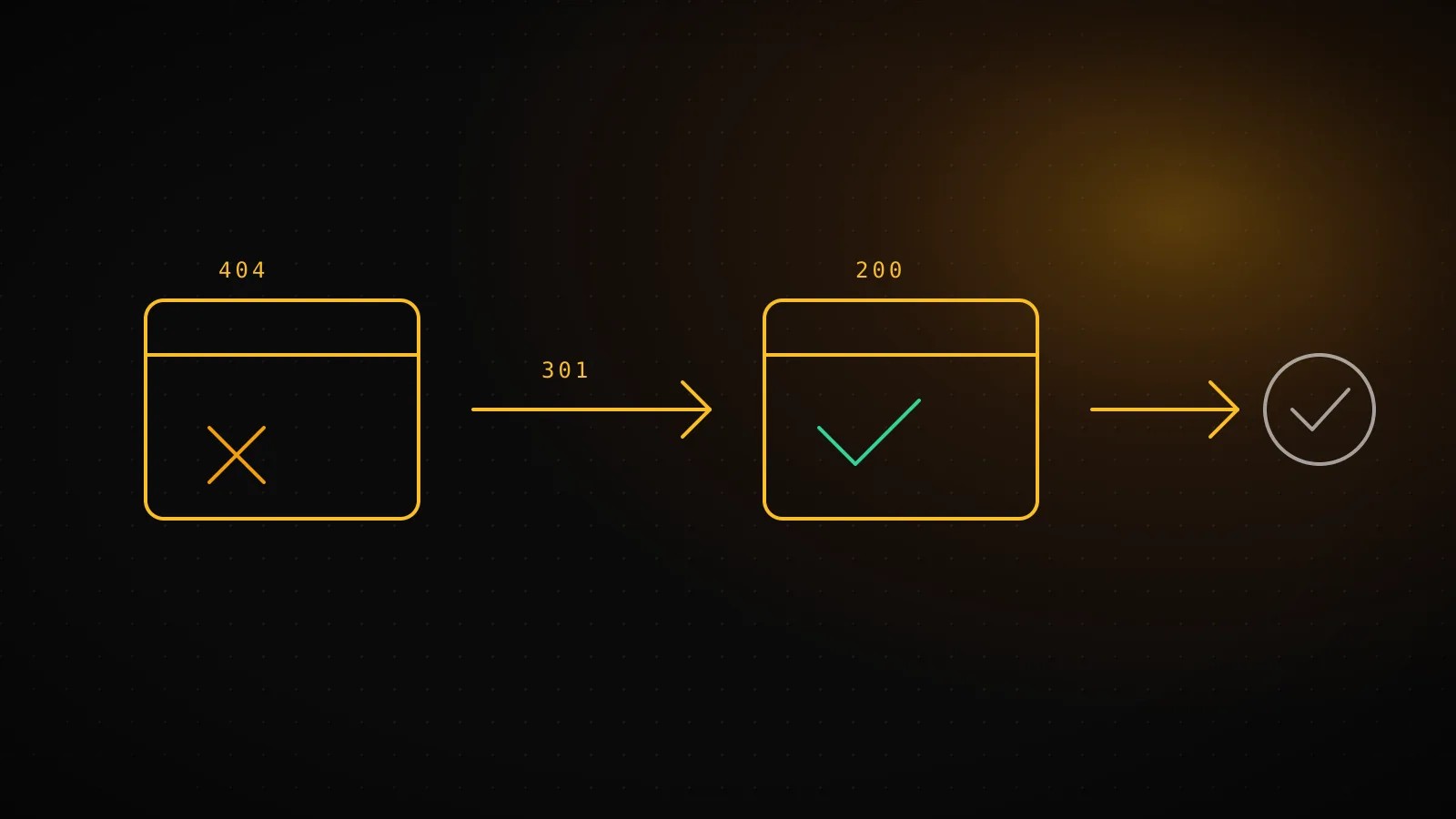
Most "Not found (404)" rows in Search Console need no fix at all. Fix only the URLs that still earn impressions or backlinks: add a 301 (or 308) redirect to the one page that now answers the same query, then click Validate fix. For everything else, a 404 is the correct answer and Google drops the URL on its own.
TL;DR - Open Pages, then "Not found (404)". Triage each URL: no impressions and no links means leave it. Moved page means a permanent redirect. Gone page means a real 404 or 410. "Soft 404" means the page returns 200 but looks empty, so add content or return a true 404. Keep redirects in your repo so they survive the next refactor, and validate in Search Console.
- 1
Does it still get impressions, clicks or backlinks?
NoLeave the 404. Nothing is lost and Google drops it on its own.
YesKeep going - this URL has value worth keeping.
- 2
Is there a page that now answers the same query?
NoReturn a real 404 or 410. Do not redirect to the homepage.
YesAdd a 301/308 redirect to that one page.
- 3
Does the URL return 200 but show an empty or error-looking page?
NoIt is a plain 404. You are done.
YesSoft 404: add real content, or make it return a true 404.
Where do you find the 404 report, and what does it actually say?
In Search Console, open Indexing, then Pages, scroll to "Why pages aren't indexed" and click Not found (404). Google's wording for that row is "This page returned a 404 error when requested." Its own advice is that a 404 is often fine when a page was removed with no replacement, and that a moved page should get a 301 to the new URL.
The row sitting two lines below it matters just as much. Soft 404 means the page request "returns what we think is a soft 404 response": the server answered 200, but the content looks like an error or an empty page. A real 404 is honest. A soft 404 is a page that lies about itself, so it needs a different fix.
One fact from Google's crawling documentation changes how worried you should be. All 4xx errors except 429 are treated the same: the content is reported as not existing, and URLs already indexed are dropped from the index. A 404 is not a penalty, it is a removal.
Which 404s are worth fixing?
The ones where something real points at the URL. Check three things for each row:
- Impressions. Open Performance, filter by page, and set the date range to 16 months. A URL that used to rank and still shows impressions is a lost entry point.
- Backlinks. Anything another site links to is worth keeping, because the redirect passes that visit and that link signal to a live page. A free check is the Links report in Search Console.
- Internal links. If your own pages still link to it, that is a bug on your side. Fix the link, not the URL.
If all three are empty, leave it. Typo URLs from scrapers, /wp-admin probes on a site that never ran WordPress and deleted test pages produce most of the list, and none of them are worth an afternoon. Fixing 404s you cannot explain is how redirect files grow into hundreds of lines nobody dares touch.
What do you do for each cause?
| Cause | What Search Console shows | Fix | |---|---|---| | You renamed or moved a page | 404 on the old slug, impressions drop on that date | Permanent redirect (301/308) from old URL to the new one | | You deleted a page on purpose | 404, no replacement exists | Leave the 404, or return 410 if you want it explicit | | Someone linked with a typo | 404 on a URL you never published, with a referring backlink | Redirect that exact typo to the right page | | The page exists but is empty or error-like | Soft 404 | Add real content, or make it return a true 404 | | A page was removed for a short time | 404 that should come back | Restore it, or use a temporary redirect (302/307) |
Two rules from Google's redirect documentation are worth keeping in your head. A permanent redirect is a strong signal that the target should be the canonical URL, while a temporary one is weak. And 307 is treated like 302 and 308 like 301, so the codes Next.js uses are fine for search.
The one that goes wrong most often is redirecting every dead URL to the homepage. If the destination does not answer what the old page answered, Google may treat it as a soft 404 anyway, and visitors land somewhere they did not ask for. One old URL goes to the one page that replaced it. If nothing replaced it, let it 404.
How do you write redirects in your repo?
Put them in code, not in a dashboard you will forget. For a Next.js site, redirects() in next.config.ts runs before the filesystem, so it works even for paths with no page behind them. The shape from the Next.js docs:
async redirects() {
  return [
    { source: "/old-blog/:slug", destination: "/blog/:slug", permanent: true },
    { source: "/pricing-old", destination: "/", permanent: true },
  ];
},
I did not want to repeat docs without running them, so I added exactly those two rules to this site's next.config.ts, ran pnpm build && pnpm start, and requested the paths with curl -D -. This site also already ships a non-permanent /discord redirect, which made a useful control. Then I removed the two test rules. Real output:
| Request | Rule | Status | Location |
|---|---|---|---|
| /old-blog/seo-for-saas?utm=x | permanent: true | 308 Permanent Redirect | /blog/seo-for-saas?utm=x |
| /pricing-old | permanent: true | 308 Permanent Redirect | / |
| /discord | permanent: false | 307 Temporary Redirect | https://discord.gg/D7Eq3hKtKs |
| /blog/no-such-page | no rule | 404 Not Found | - |
Three things in that table are worth knowing:
permanent: trueproduced 308, not 301. Next.js uses 307 and 308 so the request method is preserved. Google treats 308 like 301, so you lose nothing.- The query string rode along:
?utm=xappeared on the destination without any extra config. permanent: falseproduced 307, which browsers do not cache. Use it only for moves you expect to undo. A permanent redirect is cached hard, so test before you ship it.
A path pattern like /old-blog/:slug matches one segment only. Use :slug* if the old structure was nested. Keep the file readable: one comment line per rule saying why it exists and what it replaced. A rule with no reason is one you will be afraid to delete.
If you run on a static host, the same idea applies with a different file (vercel.json, _redirects, an nginx map). What matters is that the map lives in version control, next to the code that caused the move.
How do you tell Search Console the fix worked?
Go back to the Pages report, open the Not found (404) row, and click Validate fix. Google then recrawls the listed URLs. Per its help page, the states are:
Started
You began a validation attempt and no remaining instances of the issue have been found yet.
Passed
All known instances of the issue are gone, or the affected URL is no longer available.
Failed
A certain threshold of pages still contain the issue. Fix the rest and restart validation.
Google says validation typically takes up to about two weeks, and sometimes much longer.
Plan for about two weeks, and do not click it repeatedly. Before you do, spot-check each fixed URL with the URL Inspection tool's live test, and confirm it shows the redirect target rather than a 404.
Validation only passes when the listed URLs are fixed or gone. If you leave a soft 404 half-fixed, it fails and you restart the clock. Fix everything on the list first, then validate once.
How do you catch new 404s before they pile up?
The usual way is that you remember to open the report. You will not, so it needs to be a habit that does not depend on memory. Two cheap options:
- Add a redirect line to every rename PR. Whenever a slug changes, the same commit adds the rule. This stops most 404s at the source.
- Pull Search Console data on a schedule. Query the page-level data for URLs with impressions that now return 404, and list them weekly.
DispatchSEO takes the second route: its daily Search Console pull is where lost URLs show up, and your coding agent can read that data over MCP and propose the redirect as a pull request for you to merge. If you run a new domain, SEO for startups: the first 90 days explains why you should be reading this report weekly from day 0. And if you do not want to build a stack for it, the best SEO tools for beginners covers what the free tier already does.
When is a redirect the wrong answer?
- The content is truly gone. A redirect to an unrelated page is a soft 404 in disguise. Let it 404.
- The page might return. A permanent redirect gets cached by browsers for a long time. Use a temporary one, or restore the page.
- You have thousands of dead URLs after a migration. Do not hand-write them. Generate the map from the old and new sitemaps and redirect by pattern.
- The 404s are junk traffic. Bot probes for pages you never had are not your problem.
FAQ
Do 404 errors hurt my SEO?
Not in themselves. Google says 404s are often the correct response for removed pages. They cost you only when a URL that had traffic or backlinks stops answering.
Should I redirect every 404 to the homepage?
No. Redirect a dead URL to the one page that now answers the same question. A blanket redirect to the homepage can be treated as a soft 404.
404 or 410: does it matter?
For Google's indexing, no. Google treats all 4xx codes except 429 the same way. Use 410 if you want to state that the page is gone on purpose.
How long does Validate fix take?
Google says typically up to about two weeks, sometimes much longer. You get an email when it passes or fails.
Why does Search Console still show a 404 after I fixed it?
The report lists URLs Google found earlier, and it updates only when Google recrawls them. Run Validate fix and wait.
What is a soft 404?
A page that returns status 200 but looks like an error or an empty page. Fix it with real content, or return a true 404.