Claude Code settings.json, with real examples for a headless CI run
8 min read
On this page
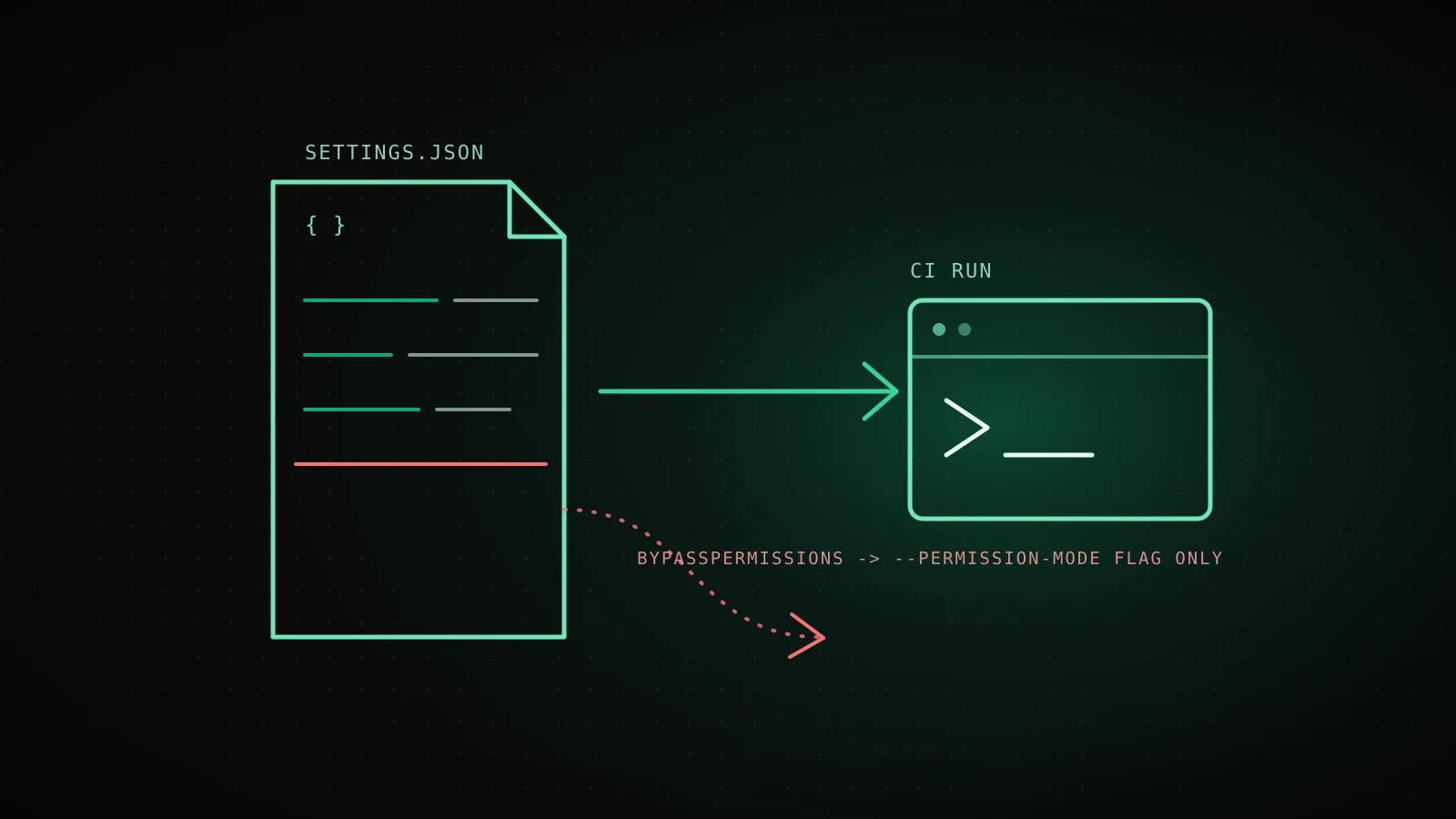
Settings.json is where a Claude Code run's permission mode, allowed tools, and environment live - checked into the repo once, applied on every run that follows. But one fact trips up most examples floating around: a few of the values people reach for first, bypassPermissions included, refuse to take effect from a committed project file at all, no matter how the JSON is written.
TL;DR - Five sources set Claude Code's config, resolved in a fixed order: managed settings, then
--settingson the command line, then.claude/settings.local.json, then the committed.claude/settings.json, then~/.claude/settings.json. A fresh CI checkout only ever has two of those five in play - the committed file and whatever the workflow step passes on the command line - because the other three live on a machine or in a git-ignored file the runner never had.permissions.defaultModeset toautoorbypassPermissionsis a silent no-op from a project or local file; those two values only apply from user settings, managed settings, or a--permission-modeflag passed for that one session. List keys likepermissions.allowmerge across every file that sets them; a handful of whole-value keys likefallbackModeldon't - the highest-precedence file that defines them wins outright.
settings.json, settings.local.json, and managed settings.json - the difference that matters for CI
Claude Code reads config from four files plus whatever an organization deploys as managed settings, and each one has a different reach:
Settings precedence, highest first - and what actually reaches a GitHub Actions runner
- 1Managed settings
managed-settings.json, MDM, or the claude.ai consoleYour organization
Only server-managed settings reach a cloud session; a file on the runner's disk doesn't exist unless the image ships one
- 2Command line
claude --settings '{...}'This one process, this one run
The only source a workflow step can set fresh every invocation, no file to commit at all
- 3Project local
.claude/settings.local.jsonYou, this project only
Git-ignored by design - a fresh Actions checkout never has this file
- 4Shared project
.claude/settings.jsonEveryone who clones the repo
The only settings FILE a stock GitHub Actions runner can read - it's the one thing in this stack that's actually in the checkout
- 5User
~/.claude/settings.jsonYou, every project, this machine
Lives in a home directory a disposable runner never had before and won't keep after
A key set higher overrides the same key set lower, no matter how specific the lower one is. For an unattended run on a fresh checkout, only two of these five sources are ever actually in play: the committed .claude/settings.json and whatever the workflow step itself passes on the command line.
For a person at a laptop, that's the whole story - the user file follows you everywhere, the project file follows the repo, the local file stays yours. For a headless CI job, most of that stack simply isn't there: a runner starts from a clean image, checks out the repo, and exits. There's no ~/.claude/settings.json because nothing ever wrote one on that machine, and there's no .claude/settings.local.json because Claude Code keeps that file out of git on purpose - it's the personal-override file, and a checkout has no "personal" to carry over. What survives the checkout is the committed .claude/settings.json, and what the workflow step itself supplies fresh - either a --settings JSON blob or plain CLI flags, both scoped to that one process and gone when it exits.
That's also why a value that only applies from user or managed settings is functionally unreachable from inside a repo's CI config at all - there's no user file to put it in, and managed settings are an organization's call, not a workflow author's. The next section is what's left once that's out of the way.
A settings.json a headless run can actually use
A working file for a job that builds, tests, and stops short of pushing - every key here is one the committed project file is actually allowed to set:
{
  "$schema": "https://json.schemastore.org/claude-code-settings.json",
  "model": "claude-sonnet-5",
  "permissions": {
    "defaultMode": "dontAsk",
    "allow": [
      "Bash(npm run build)",
      "Bash(npm run test *)",
      "Read"
    ],
    "deny": [
      "Bash(git push *)",
      "Read(./.env)",
      "Read(./.env.*)",
      "WebFetch"
    ]
  },
  "env": {
    "CI": "true"
  },
  "hooks": {
    "PreToolUse": [
      {
        "matcher": "Bash",
        "hooks": [
          { "type": "command", "command": "${CLAUDE_PROJECT_DIR}/.claude/hooks/block-rm.sh" }
        ]
      }
    ]
  },
  "cleanupPeriodDays": 3
}
dontAsk is the mode this whole file leans on: unlike auto and bypassPermissions, it's one of the values a committed project file is actually permitted to set, so defaultMode: "dontAsk" here genuinely takes effect the moment the job checks the repo out. Nothing outside the allow list runs; anything that isn't explicitly allowed is denied outright rather than silently skipped or left hanging on a prompt nobody's there to answer - the same fail-closed behavior the permission-mode breakdown covers for interactive sessions applies here too. The deny entries block a push and two ways of reading secrets even though nothing in allow grants them - belt and suspenders, since a future edit to allow shouldn't have to remember what deny already covers. $schema isn't required, but it's what gives an editor inline validation on every key below, including the ones the next two sections cover.
The one setting you can't put in settings.json: bypassPermissions
This is the fact that makes half the settings.json examples online quietly wrong for CI: permissions.defaultMode set to auto or bypassPermissions does not take effect from .claude/settings.json or .claude/settings.local.json. Write either value into a committed file and the session starts in the ordinary ask-driven default instead, with no error printed anywhere - it just isn't the mode you asked for. Those two values only apply from user settings, managed settings, or a --permission-mode flag passed for a single session. (Versions before 2.1.257 didn't draw this line - bypassPermissions took effect from any file back then, which is exactly why an older blog post or Stack Overflow answer might show it working in a project file and a newer one might not.)
For a headless run in an isolated, disposable container - the shape bypassPermissions is actually meant for - that leaves one real option: pass it as a CLI flag, scoped to that single process, every time:
claude -p "run the test suite and open a PR" --permission-mode bypassPermissions
There's no settings.json workaround for this, and there shouldn't be one - the mode that skips every permission check is exactly the mode you don't want committed to a repo where anyone with write access could quietly widen it for every future run. When bypassPermissions is actually the right call covers what has to be true about the isolation around a process before reaching for it at all.
env and hooks: the two fields a CI job gets wrong
Lists merge; a few whole-value keys don't
Set permissions.allow in three files and Claude Code combines all three lists. Set fallbackModel in three files and it takes the entire array from only the highest one that defines it - the other two are ignored outright, not merged in.
defaultMode: auto or bypassPermissions is a silent no-op in a repo file
Both values apply only from user settings, managed settings, or a --permission-mode flag for one session. Written into .claude/settings.json or settings.local.json, Claude Code starts in the ask default instead - with no error.
One exported env var can outrank every settings file
ANTHROPIC_MODEL in the shell overrides the model key from every settings file, every time. ANTHROPIC_DEFAULT_MODEL is the gentler pair - it only fills in when no file sets model at all.
A broken settings.json fails differently in CI than at your desk
Interactively, invalid JSON shows a Settings Error dialog you have to act on. A -p run shows no dialog - it skips the broken file or the bad entry and keeps going, so a trailing comma in CI doesn't fail the job, it just quietly runs with less config than you think it has.
The env block deserves one more distinction: it's an ordinary settings key, so it follows the same five-level precedence as everything else in this file - but a variable exported directly in the shell isn't part of that stack at all, and for the keys that have a paired variable, the shell often wins regardless of which settings file set the equivalent key. ANTHROPIC_MODEL in a workflow's env: block overrides model from every settings file every time; ANTHROPIC_DEFAULT_MODEL is the gentler version that only fills in when nothing sets model at all. Mixing the two into one workflow, expecting the settings file to win, is a quiet way to end up running a different model than the file says.
What DispatchSEO's own daily builder passes instead of a settings.json
.github/workflows/seo-daily.yml, this repo, read while writing this guide
Committed settings.json
none
the mode this run needs can't be granted by one anyway
Permission mode
--permission-mode
bypassPermissions, passed fresh on the command line every run
MCP scope
--mcp-config
./.github/mcp-ci.json, this run only
Turn cap
--max-turns 150
a session flag, not a settings key
Every one of these is a command-line argument to claude, set fresh for this one process. None of it lives in a file a future run could drift out of sync with, because none of it is allowed to.
Worth being honest about: this repo's own guide-builder - the workflow that produced this exact article - carries no .claude/settings.json at all. That's not an oversight; it's the direct consequence of the previous section. The one thing this pipeline actually needs is bypassPermissions, and a committed file can't grant it, so there's nothing a settings.json would add here that the CLI flags aren't already doing. What replaces it is three flags on the claude invocation in .github/workflows/seo-daily.yml: --permission-mode bypassPermissions, --mcp-config ./.github/mcp-ci.json scoping which MCP servers this run can even see, and --max-turns 150 capping the session length. None of it persists between runs; all of it is set fresh, in the open, in the workflow file itself.
This isn't the right shape for every job. A team that wants a narrower blast radius even inside a container, or that's running several different unattended tasks with different allowlists, is exactly who the dontAsk file from earlier is for instead - and it's the only one of the two that a cloud session with more than one repository checked out will even read: those sessions only pull enabledPlugins and extraKnownMarketplaces out of each repository's .claude/settings.json, not permissions, hooks, or env. Whether that argues for a settings.json or a bare CLI flag depends entirely on whether the runner around it is disposable enough to trust with everything at once.
FAQ
What's the difference between settings.json and settings.local.json?
.claude/settings.json is the team's committed file - everyone who clones the repo gets it. .claude/settings.local.json is personal and stays out of git by default; Claude Code applies it on top of the shared file, so it's where an individual overrides a team default without touching a file anyone else sees.
Why doesn't --permission-mode bypassPermissions work when I put it in .claude/settings.json?
defaultMode values auto and bypassPermissions only take effect from user settings, managed settings, or a --permission-mode flag passed for that session - never from a project or local file. Writing it into a committed file is silently ignored; the session starts in the default mode instead.
Does a GitHub Actions runner ever read my personal ~/.claude/settings.json?
No. That file lives in a home directory on your machine, and a stock Actions runner starts from a clean image that never had one. The only settings file a runner can read is whatever's committed inside the checked-out repo.
What happens if my committed settings.json has a syntax error?
In an interactive session, Claude Code shows a Settings Error dialog and asks you to fix it. In a -p run - the shape every CI job uses - there's no dialog; it skips the broken file or the bad entry and keeps going with less config than you think it has. Run claude doctor after editing the file to see what got dropped.
Can I check which settings file actually set a given value?
Run /status inside an interactive session - the Setting sources line lists every file Claude Code loaded, and the startup header names the file behind a project- or managed-set model. There's no non-interactive equivalent; claude doctor shows rejected entries, not which scope won for an accepted one.
A committed settings.json earns its place the moment more than one person or one scheduled job needs the same rules - it's the only file in the whole precedence stack a disposable CI runner and a laptop actually share. What it can't do is grant the one mode most unattended pipelines reach for first; that part stays a command-line flag, on purpose, every single run.