Claude Code git worktree: running parallel unattended builds without them colliding
10 min read
On this page
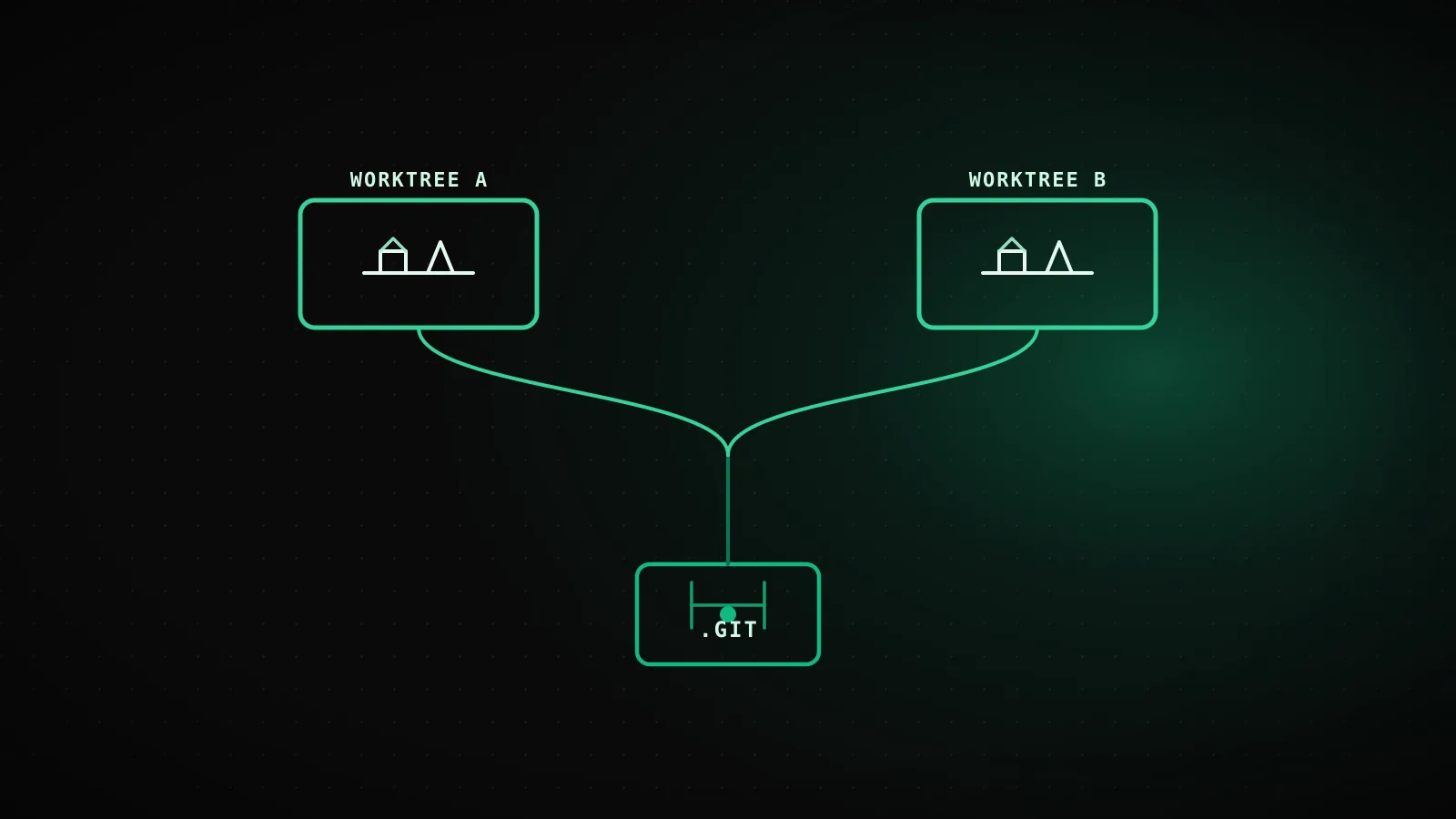
A git worktree gives a Claude Code session its own checkout and branch while sharing the same repository history as your main directory, so a second session's edits never land in the files the first one is still working on. Pass claude --worktree <name> and Claude Code creates one automatically under .claude/worktrees/<name>/; you can also create one by hand with git worktree add and start Claude inside it. Either way, the isolation is the point: two sessions, one repository, zero shared working tree.
TL;DR -
claude --worktree feature-authcreates a fresh checkout on a new branch and starts a session in it, isolated from your main directory and from any other worktree. Claude Code enforces that isolation with four checks on every tool call: it blocks edits to the main checkout, commands whose working directory resolves there, git commands redirected into it, and any command whose shape it can't verify stays inside the worktree. You can build the same thing by hand with plaingit worktree add, which is the only option when you need a specific existing branch or a location outside the repo. Interactive sessions clean up their worktree on exit if you let them; headless-pruns don't, so a periodic sweep andgit worktree removeare how those get cleared. Tested below against this exact repository, not a toy example.
The collision problem: two sessions, one working directory
Two Claude Code sessions can run against the same repository at once - one deployment fixes a bug while another builds a feature, or a scheduled job kicks off while you're still in an interactive session. Point both at the same directory and there is only one working tree between them. Session B's uncommitted edits sit in the exact files session A is mid-turn on. git status run from either one shows both sets of changes mixed together, with nothing distinguishing which session wrote which line. A test suite or build one session triggers reads whatever is on disk at that moment, including files the other session hasn't finished editing.
One directory, two sessions
Same working tree, both sessions
session B's checkout is the exact directory session A is mid-edit in - there's only one copy of every file on disk
git status shows both sets of changes
whichever session runs it sees its own edits mixed with the other session's, with no way to tell which is which
A build one session kicks off reads the other's half-written files
tests, lints, and builds all read the same tree the other session is still writing to
One repo, one worktree per session
Separate directory, separate branch, per worktree
each session's edits land in its own checkout - a second copy of the working tree, not a second view of the same one
History, remotes, and .git stay shared
nothing to sync manually - commits made in one worktree are visible to git in every other, same repository
A build in one worktree can't see the other's uncommitted files
tests and builds read only the checkout they were started in
None of this needs malice or a bug in either session - it's what "share a working directory" means. A worktree fixes it by giving each session a second, separate checkout instead of a second view of the same one.
What a git worktree actually is, and what --worktree automates
A git worktree is a separate working directory with its own files and branch, sharing the same repository history and remote as your main checkout - not a copy of the repo, and not a branch switch inside the one you already have open. git worktree add ../project-feature -b feature-a creates one next to your existing checkout on a new branch; running claude inside it starts a session that can only touch files in that directory.
Claude Code's --worktree flag (-w for short) automates the same mechanism: claude --worktree feature-auth creates the worktree, names its branch worktree-feature-auth, places it under .claude/worktrees/feature-auth/ at the repository root, and starts Claude there in one step. Omit the name and Claude Code generates one, something like bright-running-fox. Run the command again with a different name in a second terminal and you have a second isolated session, with a third checkout on disk. You don't have to start from the CLI flag either - mid-session, asking Claude to "work in a worktree" calls the same EnterWorktree tool and moves the session there without restarting it.
One gate applies to interactive use: a --worktree session needs workspace trust for the directory the same as any other Claude Code session, so the first run in a new repository still needs the trust dialog accepted once. Non-interactive runs with -p skip that check entirely, which matters for the headless mode this project's own builders run in.
What Claude Code blocks to keep a worktree session isolated
Isolation isn't just "a different directory happens to be open" - while a session is inside a worktree, Claude Code actively checks every tool call against four rules before it runs:
File edits
an Edit, Write, or NotebookEdit call targeting a path in the main checkout is blocked outright
Command working directory
a Bash, PowerShell, or Monitor command whose working directory resolves to the main checkout - or can't be verified as staying outside it - is blocked
Git redirects
a command that redirects git into the main checkout is blocked, whether through git -C, --git-dir, a GIT_DIR/GIT_WORK_TREE variable, or a cd into it before running git
Command shape
a command is blocked when Claude Code can't verify from its text that any git it runs stays inside the worktree - a computed command name or unparseable syntax counts; this check can't be turned off
The same checks apply to every subagent the isolated session spawns, whether it runs in the foreground or in the background, so a delegated task can't reach back into the main checkout either. A custom subagent can get the same treatment on purpose: add isolation: worktree to its frontmatter and that subagent always runs in its own temporary worktree, cleaned up automatically once it finishes without leaving changes behind.
Manual git worktree add vs. the built-in flag
The flag covers most sessions. Reach for plain git when you need a worktree checked out on a specific existing branch, or placed somewhere other than .claude/worktrees/ - the flag doesn't take either option.
| | claude --worktree <name> | git worktree add |
|---|---|---|
| Location | Fixed: .claude/worktrees/<name>/ | Anywhere you point it |
| Branch | New branch, auto-named worktree-<name> | You choose: new branch or an existing one |
| Base | Repo's default branch (or current HEAD with worktree.baseRef: "head") | Whatever you check out |
| Starts a session | Yes, in the same command | No - cd into it and run claude yourself |
| Copies gitignored files (.env) | Yes, via .worktreeinclude | No - copy them yourself |
| Cleanup | Prompted on exit (interactive) or swept later (headless) | Manual: git worktree remove |
To do it by hand: git worktree add ../project-feature -b feature-a for a new branch, or git worktree add ../project-bugfix fix-issue-456 to check out a branch that already exists. cd into the new directory and run claude normally. git worktree list shows every worktree tied to the repository, and git worktree remove ../project-feature deletes one when you're done.
Tested: isolating a second checkout from this exact repo
Here's the command-by-command transcript from actually running it against this repository while writing this guide:
Run against this exact repo while writing this guide
git worktree add ../dispatchseo-guide-demo -b demo/worktree-guide
"Preparing worktree (new branch 'demo/worktree-guide')" - a second checkout appears next to this repo, HEAD at the same commit
cd ../dispatchseo-guide-demo && echo change >> src/app/globals.css && git status --short
" M src/app/globals.css" - the edit shows up inside the new worktree
cd back to the main checkout && git status --short
empty output - the same edit is invisible here; the two checkouts never shared a working tree
git worktree remove ../dispatchseo-guide-demo && git branch -D demo/worktree-guide
worktree and branch both gone; git worktree list shows only the main checkout again
That's the whole mechanism in four commands: a second checkout appears, an edit inside it is invisible from the first, and removing it leaves no trace. Nothing here needed a special flag or a config change - it's plain git worktree, the same primitive --worktree wraps.
A worktree is a fresh checkout - carry your setup in with it
git worktree add and --worktree both start from a clean tree, which means no installed dependencies, no .env, nothing your project's setup script hasn't run yet. For a one-off session, running your install command inside the new worktree is enough. For repeated use, list the gitignored files you always need - .env, .env.local, a local secrets config - in a .worktreeinclude file at the repo root, using .gitignore syntax:
.env
.env.local
config/secrets.json
Claude Code copies anything that matches a pattern there into every worktree it creates with git, whether that's a --worktree session, an isolated subagent, or a parallel session from the desktop app. Tracked files are never touched by it, so there's no risk of duplicating something git already manages. A .worktreeinclude file doesn't do anything for a worktree you create yourself with plain git worktree add unless you copy the files into it the same way.
Cleanup - the part every tutorial skips
An interactive session cleans up its own worktree when it can: exiting an unnamed --worktree session with nothing changed removes the worktree and its branch automatically, and a named session, or one with actual changes in it, prompts you first so you can keep it. Choosing to keep it leaves the directory and branch on disk for later; choosing to remove it deletes both, along with anything uncommitted inside.
Headless -p runs get none of that, because there's no exit prompt to answer. Claude Code takes a git worktree lock on every worktree it creates and holds it for the life of the run; a finished non-interactive session leaves that lock in place rather than removing the worktree, and a periodic sweep clears worktrees for subagents and backgrounded sessions once they're older than the cleanupPeriodDays setting - but only the ones with no uncommitted changes or unpushed commits, and never a --worktree session you haven't backgrounded. Left alone, headless worktrees accumulate: a scheduled builder that runs --worktree once a day and never tears one down manually will have a .claude/worktrees/ directory with weeks of stale checkouts in it. To remove one directly, git worktree remove <path>, adding --force if it has uncommitted changes; if git refuses because the worktree is locked, run git worktree unlock on it first.
When a worktree doesn't actually help
A worktree solves exactly one problem: two sessions writing to the same working directory. It doesn't solve everything adjacent to that:
- Git LFS or any repo-level filter driver set up with
git lfs install --localwon't run inside a worktree Claude Code creates - the worktree gets pointer files instead of real ones, because Claude Code deliberately skips a repository's own filter drivers when creating a worktree (anything that can write to the repo could have put a malicious one there). Rungit lfs pullinside the worktree afterward to get the real files. - Non-git version control - SVN, Perforce, Mercurial - gets no worktree support out of the box.
WorktreeCreateandWorktreeRemovehooks can replace the git-specific logic, but that's a setup step, not something--worktreedoes for you. - Shared install state doesn't come for free. A fresh worktree has no
node_modules, so parallelizing two sessions on a large project can mean paying the install cost twice, which sometimes outweighs the time saved by not colliding. - A single session working alone doesn't need this at all. Worktrees exist for the moment a second set of edits is happening at the same time, not as a default habit for every session.
Keeping this project's own many scheduled builders from colliding doesn't take a worktree either - each one gets its own repository and its own GitHub Actions job, so there's no shared directory to begin with. Where worktrees actually earn their keep here is narrower: a second Claude Code session opened against this same dispatchseo checkout, say to fix something while today's guide is mid-build, without the two stepping on each other's files.
FAQ
Does a git worktree copy the whole repository?
No. A worktree shares the same .git directory, history, and remote as your main checkout - it only adds a second working directory and branch. Committing from inside a worktree updates the one shared repository, visible from every other worktree of it.
What's the difference between claude --worktree and running git worktree add myself?
--worktree wraps git worktree add and starts a session in one command, always under .claude/worktrees/<name>/ on a new auto-named branch. Plain git worktree add lets you place the worktree anywhere and check out a specific existing branch, but you cd in and run claude yourself.
Do I need to manually delete worktrees Claude Code creates?
For interactive sessions, usually not - Claude Code prompts you or cleans up automatically on exit. For non-interactive -p runs, yes: nothing removes them until a periodic sweep clears old, unchanged ones, so a scheduled job that uses --worktree regularly should either clean up explicitly or expect .claude/worktrees/ to grow.
Can two worktrees have uncommitted changes to the same file at once? Yes, and that's fine - they're separate working directories, so the same file can differ between them until one side commits and the other merges or rebases. Conflicts only surface at that point, the same as any two branches.
Does a worktree protect against a subagent editing the wrong file?
Only if the subagent itself is isolated. A subagent spawned from a session already inside a worktree inherits the same four enforcement checks automatically; a standalone subagent needs isolation: worktree in its own frontmatter to get the same guarantee.
Worktrees fix the specific failure of two sessions sharing one working tree - nothing more, nothing less. For anything wider than that, whether a change is safe to ship is still a job for review and CI, not for which directory it happened to be edited in.